All posts by media-man

How we built a VR project using web technologies

A screenshot of [Standing At The Edge Of Geologic Time](http://apps.npr.org/rockymountain-vr) in virtual reality A screenshot of Standing At The Edge Of Geologic Time in virtual reality.

Last Wednesday, the NPR Visuals Team published a virtual reality story about the geologic history of Rocky Mountain National Park. It was weird! Making a virtual reality project on the web presented a lot of new challenges for us. This blog post will explore some of the challenges and how we solved them.

Making the Web Experience

We had three main goals when creating the web experience out of these assets:

  1. Make an immersive experience out of the 360º photos we had created and the binaural audio we recorded.
  2. Ensure the experience worked across devices, on phones, desktops and Cardboards.
  3. Do this on the web. We weren’t interested in Oculus or other things that required users to install software.

Given these requirements, we wanted to work with WebVR. The experimental JavaScript API is basically not supported in any browsers yet, but work on making WebVR a reality is active, and a few projects have sprung up in an attempt to getting people working with WebVR today.

Google VR has created VR View, an incredibly simple way of creating a 360º image viewer. The code is all open source, and we could have modified the experience however we wanted, but the starting point is so opinionated that making an experience that integrated well with our audio and design style felt onerous. But for just getting an image on the page, VR View is as simple as it gets.

Boris Smus maintains the WebVR Boilerplate, a starting point that uses Three.js that has been used by our friends at the LA Times and National Geographic. It is a great starting point, and we would have used this, but we found a project based on Boris’s work called A-frame, spearheaded by Mozilla’s VR group.

An Introduction to A-frame

A-frame’s key feature is its markup-based scene-building system. Instead of building your entire scene in JavaScript, A-frame gives you the ability to build scenes using custom HTML tags. Because A-frame defines custom HTML tags for you, they are treated by the browser as DOM elements, making them manipulable in JavaScript just like any other DOM element.

A simple A-frame scene might look like this:

<a-scene>
    <a-sky src="url/to/my/image.jpg"></a-sky>
</a-scene>

This would build a VR scene that projects an equirectangular image across a 360º sphere. In three lines of markup, we have the basis of our app.

Every A-frame document begins and ends with an <a-scene> tag, just like an HTML document starts and ends with an <html> tag. And just like a valid HTML document, you can only have one.

The <a-sky> tag demonstrates the basic functionality of A-frame. A-frame is based on the “entity-component-system” pattern. The structure of entity-component-system is worth reading in detail, but it basically works like this:

Entities are general objects that, by themselves, do nothing, like an empty <div>. A-frame represents entities as tags. Components define aspects of entities, such as their size, color, geometry or position. These appear in A-frame as attributes of those tags (perhaps confusingly, standard HTML attributes like class still work). Components can have multiple properties; for example, the camera component has a fov property which defines the field of view, an active property which defines whether or not the camera is active and more. Importantly, components are reusable — they do not rely on certain entities to work.

Returning to our example, <a-sky> is our entity, and src is a component that loads an image and projects it into the sky.

There is one caveat to this: <a-sky> is technically not an entity. A-frame provides one extra convenience layer beyond entities and components: primitives. Primitives look like entities, but are in fact an extension of entities that make it easier to perform common tasks, like projecting a 360º image in a 3D scene. In short, they are entities with pre-defined components. An <a-sky> is an entity with a pre-defined geometry component.

Building multiple scenes

In our story, we wanted to display multiple equirectangular images in a sequence tied to our audio story. A-frame poses a problem: you can only have one scene in A-frame. And when A-frame builds that scene, it renders everything at once. So how can you move between multiple scenes inside your one scene? You show and hide entities.

A component available to all entities in A-frame is the visibility component. It works simply: add visible: false to any entity tag and the entity is no longer visible.

Thus, the basic structure of our A-frame scene looked like this:

<a-scene>
    <a-entity class="scene" id="name-of-scene">
        <a-sky src="path/to/image1.jpg" visible="true">
    </a-entity>
    <a-entity class="scene" id="name-of-scene">
        <a-sky src="path/to/image2.jpg" visible="false">
    </a-entity>
    <a-entity class="scene" id="name-of-scene">
        <a-sky src="path/to/image3.jpg" visible="false">
    </a-entity>
    <a-entity class="scene" id="name-of-scene">
        <a-sky src="path/to/image4.jpg" visible="false">
    </a-entity>
</a-scene>

We timed switching visible scenes with certain points in our audio file. By hooking into the HTML5 audio timeupdate event, we could know the current position of our audio at any time. We attached the time we wanted scenes to switch as data attributes on the scene entities. Again, A-frame entities are just DOM elements, so you can do anything with them that you can do to another DOM element.

<a-entity class="scene" id="name-of-scene" data-checkpoint="end-time-in-seconds">
    <a-sky src="path/to/image1.jpg" visible="true">
</a-entity>
…

Using the timeupdate event, we switched the visible scene once we past the end time of the currently visible scene. This is a technique we’ve used many times in the past and you can read more about here.

Animation

Another core piece of A-frame is the ability to animate elements within a scene. We used A-frame’s animation engine to control the “hands-free” experience we offered on desktop.

To do this, we animated A-frame’s camera. The camera itself is an entity within the scene. To animate an entity, you create the animations as tags that are children of the entity. For example:

<a-scene>
    <a-entity camera drag-look-controls>
        <a-animation attribute="rotation" duration="40000" from="10 -80 0" to="0 15 0"></a-animation>
    </a-entity>
</a-scene>

This animation will rotate the camera in 40 seconds.

You can also begin and end animations based on events. You pass the names of the events as attributes on the animation tag:

<a-animation attribute="rotation" duration="40000" from="10 -80 0" to="0 15 0" begin="enter-scene" end="cancel-animation"></a-animation>

Then, in JavaScript, you can have the camera (or any entity) emit an event, which will either begin or end the animation.

var camera = document.querySelector('a-entity[camera]');
camera.emit('enter-scene');

To make our guided experience work, we had an animation for each of our scenes. When we entered the scene at the correct place in the audio, we emitted the proper event that started the animation.

Putting It All Together

While it is great that A-frame is a markup-based system, having the team manage the entire experience by modifying markup would have been frustrating and difficult. So we turned to a system we have been using for years: spreadsheet-driven templating. Using a spreadsheet allowed us to put each entity in its own row. Then, columns corresponded to components on the entity or other data we needed to attach to the entity via data attributes.

A simplified version of the spreadsheet looks like this:

Using Jinja templates and our copytext library, we were able to loop through each row and build our scene. For example, the first row in our sheet would result in the following:

<a-entity class="scene" id="dream-lake" data-name="Dream Lake" data-checkpoint="29" data-fov="80" >
    <a-entity class="sky" visible="false">
        <a-sky src="dl-615.jpg" rotation="0 -250 0"></a-sky>
    </a-entity>
</a-entity>

In a separate spreadsheet, we built each animation we wanted for guided mode. Using the id of the scene, we could effectively join the two sheets together on the id. Here’s a sample of the animation spreadsheet:

Then, within the camera entity as demonstrated above, we can loop through this spreadsheet and build each animation. The first row of the spreadsheet would build this:

<a-entity camera drag-look-controls>
    <a-animation attribute="rotation" dur="40000" from="-10 80 0" to="0 15 0" begin="enter-dream-lake" end="cancel" easing="linear"></a-animation>
    …
</a-entity>

Take note of the begin attribute. By using the id of the scene, each scene’s animation can begin independently. In our JavaScript, we would emit that event as soon as the scene switched.

Combining these two concepts, our A-frame scene looks like this in a Jinja template:

<a-scene>
    <a-entity camera drag-look-controls>
        {% for row in COPY.vr_animations %}
        <a-animation attribute="{{ row.attribute }}" dur="{{ row.duration }}" from="{{ row.from_value }}" to="{{ row.to_value }}" begin="enter-{{ row.id }}" end="cancel" easing="linear"></a-animation>
        {% endfor %}
    </a-entity>
    {% for row in COPY.vr %}
    <a-entity class="scene" id="{{ row.id }}" data-name="{{ row.name }}" data-checkpoint="{{ row.end_time }}" data-fov="{{ row.fov }}">
        <a-entity class="sky" visible="false">
            <a-sky src="{{ row.image }}" rotation="{{ row.image_rotation }}"></a-sky>
        </a-entity>
    </a-entity>
    {% endfor %}
</a-scene>

There are more things unique to our particular UI that I did not include here for sake of simplicity, but you can see the complete HTML file here.

Nine Miscellaneous Tips About Building In A-Frame

There are lots of little things we encountered building a VR experience that didn’t fit in the explanation above but would be good to know.

  1. We used jPlayer to handle our audio experience. While A-frame provides a sound component, it had strange issues with playback, sometimes placing all the audio in one ear or the other. It was also more apparent with jPlayer how to provide a responsive UI for users to interact with the audio. Also, separating concerns between the playing audio file and the switching of scenes was easier using separate libraries.
  2. Three.js, which ultimately does all of the projection into 360º space, expects most assets to be sized to the power of two. That means the dimensions should always be a power of two. For example, our equirectangular images were sized to 212 x 211.
  3. A-frame has to be included on the page before the <a-scene> is invoked; otherwise, the tags will not be recognized. We included it in the <head>.
  4. Because A-frame has to be included early, it’s smart to use some critical CSS to ensure something loads on your page in a timely manner. A-frame is a very large library. Our app-header.js file is 214 KB, most of which is A-frame.
  5. Ensure that users cannot enter the VR experience before all assets are loaded. This is as simple as disabling your UI until JavaScript’s native load event fires.
  6. Exiting VR mode on iOS and Android are totally different. On iOS, you rotate your device to portrait mode. On Android, you use the device’s native back button instead of rotating because Android goes into fullscreen mode. Make sure your instructions to the user are accurate for both types of device.
  7. Ultimately, A-frame renders your scene to a canvas element. You can do anything with that canvas element. We chose to fade the canvas to black and fade back up when switching scenes.
  8. To date, text in A-frame is hard. There are some plugins and extensions that provide the ability to write on your scene, but it is almost certainly easier at this point to make a transparent PNG and project it onto your scene. In VR mode for our app, we used transparent PNGs to project an annotation telling the user where they were in Rocky Mountain National Park, as seen in the screenshot at the top of this post.
  9. A-frame ships with a controls component called “look-controls”. We used a plugin called “drag-look-controls”, which is largely the same, except it inverts the click-and-drag experience so that the photo moves in the direction you drag.

In the coming days, we will publish a couple more things about our project, including how we made our images and soundscapes and what we’ve learned from analytics about how people used our VR project. Stay tuned!
Useful Scraping Techniques

A recent NPR project that collects structured data about gun sale listings from Armslist.com demonstrates several of my favorite tricks for writing simple, fast scrapers with Python.

The code for the Armslist scraper is available on Github.

Can you scrape?

Scraping is a complicated legal issue. Before you start, make sure your scraping is acceptable. At minimum, check the terms of service and robots.txt of the site you’d like to scrape. And if you can talk with a lawyer, you should.

Data model classes

The Armslist scraper encapsulates scraped data in model classes.

Here’s the basic idea. You provide the model class with all the HTML it should scrape. The class performs the scrape and stores each piece of data in an instance property. Then, you access the scraped attributes in your code via those instance properties. Look at this lightly modified example of the model class code from the project.

class Listing:
   """Encapsulates a single gun sale listing."""

    def __init__(self, html):
        self._html = html
        self._soup = BeautifulSoup(self._html, 'html.parser')

    @property
    def title(self):
        """Return listing title."""
        return self._soup.find('h1').string.strip()

To use this class, instantiate it with an HTML string as the first argument, then start accessing properties:

html = '<html><body><h1>The title</h1></body></html>'
mylisting = Listing(html)
mylisting.title

Every listing instance takes an HTML string which can be downloaded during a scrape or provided from another source (e.g. from a file in an automated test). The Listing class uses the @property decorator to create methods that “look like” instance properties but perform some computation before returning a value.

This makes it easy to test and understand each computed value. Want to double check that we’re grabbing the price correctly? This method is sane enough that you don’t have to know a lot about the other parts of the system to understand how it works:

class Listing:
    #...
    @property
    def price(self):
        span_contents = self._soup.find('span', {'class': 'price'})
        price_string = span_contents.string.strip()
        if price_string.startswith('$'):
            junk, price = span_contents.string.strip().split('$ ')
            return price
        else:
            return price_string

Controller scripts

The model class is then used in a simple script which makes the actual HTTP request based on a URL provided as an argument and prints a single CSV line.

Here’s a lightly modified version of our controller script:

#!/usr/bin/env python

import sys
import requests
import unicodecsv as csv

from models.listing import Listing

def scrape_listing(url):
    writer = csv.writer(sys.stdout)
    response = requests.get(url)
    listing = Listing(response.content)
    writer.writerow([
        url,
        listing.post_id,
        listing.title,
        listing.listed_date,
        # ...
    ])


if __name__ == '__main__':
    if len(sys.argv) != 2:
        print('url required')
        sys.exit()

    url = str(sys.argv[1])
    scrape_listing(url=url)

This script is very easy to interact with to see if the scraper is working properly. Just invoke the script on the command line with the URL to be scraped.

Parallelization with GNU parallel

The framework above almost seems too simple. And indeed, scraping the 80,000+ pages with listings on Armslist one-by-one would be far too slow.

Enter GNU parallel, a wonderful tool for parallelization.

Parallelization means running multiple processes concurrently instead of one-by-one. This is particularly useful for scraping because so much time is spent simply initiating the network request and downloading data. A few seconds of network overhead per request really starts to add up when you have thousands of URLs to scrape.

Modern processors have multiple cores, which hypothetically makes this easy. But it’s still a tricky problem in common scripting languages like Python. The programming interfaces are clunky, managing input and output is mysterious, and weird problems like leaving thousands of file handles open can crop up.

Most importantly, it’s easy to lose hardware abstraction, one of the most powerful parts of modern scripting languages when using parallelization libraries. Including a bunch of multiprocessing library magic in a Python scraper makes it much harder for anyone with basic programming skills to be able to read and understand the code. In an ideal world, a Python script shouldn’t need to worry about how many CPU cores are available.

This is why GNU parallel is such a useful tool. Parallel elegantly handles parallelizing just about any command that can be run on the command line. Here’s a simple example from the Armslist scraper:

csvcut -c 1 cache/index.csv | parallel ./scrape_listing.py {} > cache/listings.csv

The csvcut command grabs the first column from a CSV with URLs and some metadata about each one. The scrape_listing.py command takes a URL as an argument and outputs one processed, comma separated line of extracted data. By passing the output of csvcut to a parallel command which calls scrape_listing.py, the scraper is automatically run simultaneously on all the system’s processors.

Parallel is smart about output – normal Unix output redirection works the way you would expect when using parallel. Because the commands are running simultaneously and timing will vary, the order of the records in the listings.csv file will not exactly match that of the index.csv file. But all the output of the parallelized scrape operation will be dumped into listings.csv correctly.

The upshot is that scrape_listing.py is still as understandable as it was before we added parallelization. Plus it’s easy to run one-off scrapes by passing scrape_listing.py a URL and seeing what happens.

Getting close to the source

It never hurts to figure out where the server you’d like to scrape is, physically, to see if you can cut down on network latency. The Maxmind GeoIP2 demo lets you geolocate a small number of IP addresses.

When I plugged the Armslist.com IP address into the demo, I found something very interesting: The location is in Virgina and the ISP is Amazon. That’s the big east coast Amazon data center (aka us-east-1).

Because NPR Visuals also uses Amazon Web Services, we were able to set up the machine to scrape the server in the same data center. Putting your scraper in the same data center as the host you’re scraping is going to eliminate about as much network overhead as humanly possible.

While that’s probably a bit too lucky to cover most common cases, if you are hosting your scraper on Amazon and find the server you’d like to scrape is on the West Coast of the US, you can set up your EC2 instance in the west coast data center to lose a little extra latency.

Choosing the right EC2 server

We used an Amazon c3.8xlarge server, which is a compute optimized instance with 32 virtual processors available. We chose a compute-optimized instance because the scraper doesn’t use a lot of memory or disk. It doesn’t use that much CPU either, but it’s more CPU intensive than anything else, and the c3.8xlarge is cheaper than any other option with more than 16 CPUs.

On a c3.8xlarge, scraping roughly 80,000 urls took less than 16 minutes, which comes out to less than $0.50 to run a full scrape.

Putting it all together

The full scraper actually carries out two operations:

  • Scrape the Armslist.com index pages to harvest listing URLs and write the list to csv. To speed up the process, this step is parallelized over states. It could be refactored to be even more efficient but works well enough for our purposes.
  • Scrape each listing URL from the index csv file using parallel to scrape as many URLs simultaneously as possible.

Analyzing the data

We do further post-processing for our analysis using shell scripts and PostgreSQL using a process similar to the one described here. If you’d like to check our work, take a look at the armslist-analysis code repository.

A quick shoutout

I learned many of these techniques – particularly model classes and using GNU parallel – from developer Norbert Winklareth while we were working on a Cook County Jail inmate scraper in Chicago.

We love this Tumblr but…

…we haven’t updated it in a while. We feel bad about that. It’s because we’ve been focusing on building oodles of storytelling resources over at NPR’s Editorial Training website.

So this Tumblr is on vacation. But there’s still lots of great stuff here. Scroll down. Check it out. And we’re still here. Still listening, reading, looking for the best examples of great storytelling. You can always find us on Twitter or at TrainingTeam@npr.org.

image

A Better Way To Track Listening

A screenshot of our elections app titlecard during Mega Tuesday on March 15, 2016. A screenshot of our elections app titlecard during Mega Tuesday on March 15, 2016.
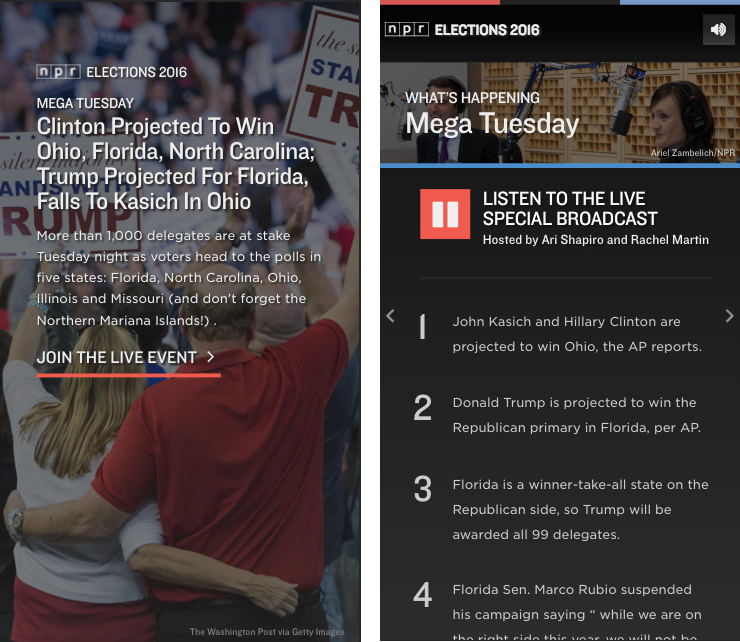
For the entirety of the primary season, we have been running our elections app at elections.npr.org, focusing both on live event coverage during primary nights and updated content between events to keep users up-to-date on the events taking place each day.

A major component of our election coverage is audio-driven, whether through our live event coverage during primary nights or the NPR Politics Podcast in between events. Part of our decision to focus our app around audio stemmed from our newsroom putting a significant effort behind the audio coverage, but we also wanted to learn more about how our audience engages with audio on the internet. We treated our election app as a huge opportunity to do so.

We wanted to be fair to ourselves and treat our audio online like we treat audio on the radio. That means placing much more difficult restrictions on what we call a “listener.” In the calculations to follow, we treat listeners as those who listened to at least five minutes of audio, which is how we count listeners in our radio ratings.

Given this calculation, just 10% of our total user base are what we would consider “listeners”. That being said, we haven’t had audio in the experience 24/7, and sometimes we haven’t had audio during high-traffic primary events.

For the purposes of this analysis, I am going to focus on times when we were broadcasting a live election night special, as those are the moments throughout the primary season that we have gotten a significant amount of traffic and we have consistently had audio to work with.

Overall performance

Screenshots of the first two cards of our app during our live broadcast on Mega Tuesday, March 15, 2016. Screenshots of the first two cards of our app during our live broadcast on Mega Tuesday, March 15, 2016.
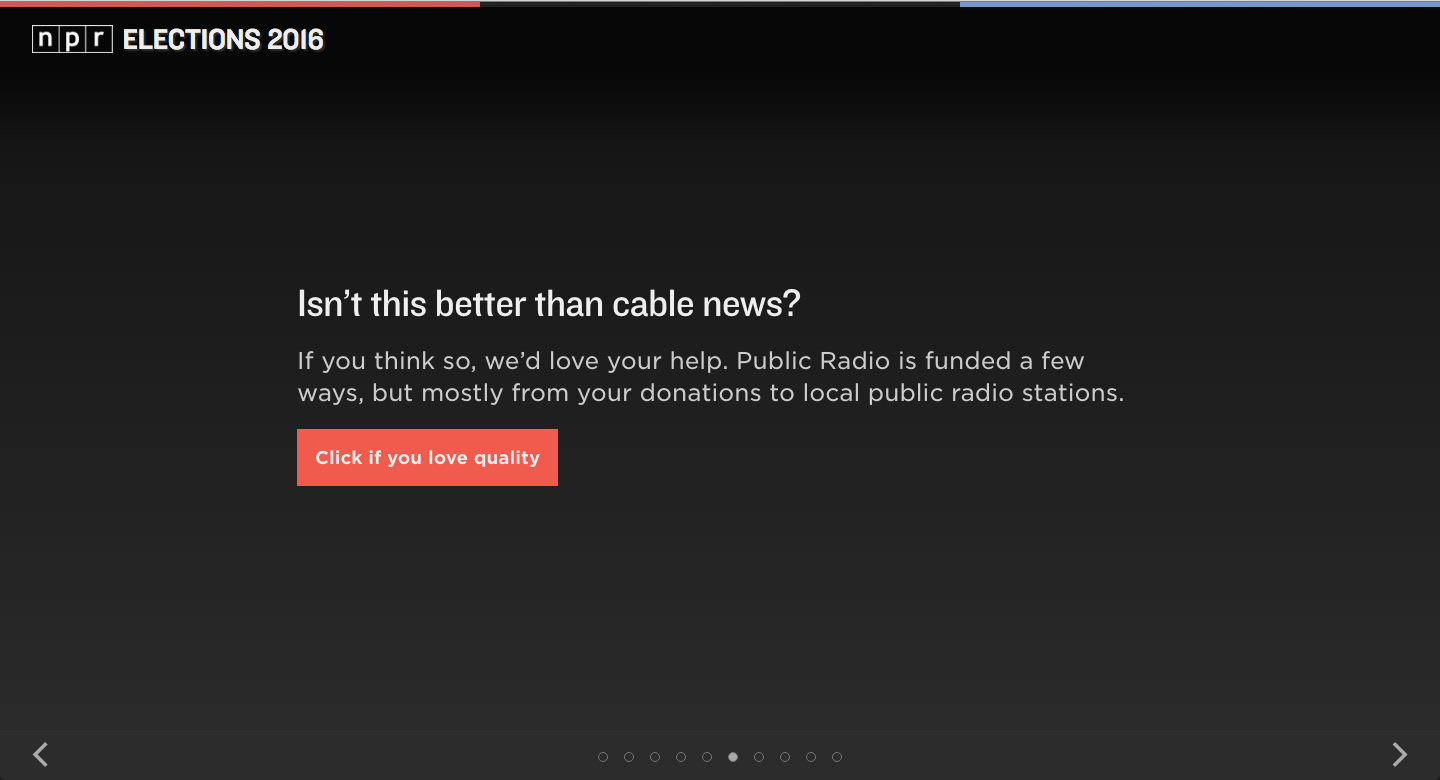
As of writing, NPR has broadcast 11 election night specials, and we have carried all of them inside of the app. If a user arrived at the app, the special would autoplay upon swiping or clicking past the titlecard.

During times the broadcast was live, we served over 475,000 sessions, and over 100,000 of those sessions were listeners. In other words, 22.4% of live event sessions became listening sessions by listening to at least five minutes of audio. If we look at listen rates across npr.org or consider five minutes as a “view” on a Facebook or YouTube videos, that’s a pretty good number. We’re happy with that number.

But it is a sobering reality: even when we advertise our app as a listening experience (as we often did on social media) and autoplay the content, only 22% of our users stick around for more than five minutes. Of course, our election app is not exclusively an audio app, and the other 78% of sessions still may have gotten what they needed out of the app, like a quick checkup on the results.

On a given night, our live specials would run anywhere from one hour to four hours. I have data at the hourly level, which means I can analyze the performance of the special hour by hour. Aggregating all of our sessions into hourly blocks, it is clear that performance of our live specials degrades the longer we go on. 26% of our sessions that began in the first hour became listening sessions, while just 18% of the sessions that began in the fourth hour became listening sessions.

What do we know about our listeners?

We know a whole bunch of other things about our app, most of which are out of scope for this blog post. But since we know which sessions were listening sessions, we can examine the behavior of our listeners as compared to our non-listeners.

The first, most obvious thing we can determine is that our listeners spend more time total on the app than non-listeners. This is not surprising – after all, they spent at least five minutes listening to audio. However, the proportion is surprising.

The average user overall spent an average of about eight minutes on the app, while listeners spent an average of 44 minutes on the app, whether they were listening for all 44 minutes or not.

A screenshot of our donation card

At the end of February, we added a new type of card to our app: a card that asked users to donate to their local member station. We tested a few different prompts throughout the duration of the primary, but no matter what test we were running, we consistently found that listeners were more likely to click the button than non-listeners.

A simple statistical test evaluation shows that we can say that listeners are 93.9% more likely to click the donate button than non-listeners, and we can say this with 99% confidence.

That being said, because we had far more non-listeners than listeners, we actually got more total clicks from non-listeners. This is worth taking into account.

Finally, we know that our listeners are far more likely to be desktop users than non-listeners. 65% of our listeners were desktop users, compared to just 40% of non-listeners.

What have we learned?

By limiting our definition of who a listener is, we can know much more about our most engaged users, and we can adjust for the future knowing these new things. While this analysis does not necessarily provide answers, it provokes questions to ask about next steps.

We know that the majority of our users, despite autoplaying the content for them, will not listen long enough to be considered listeners. We also know that the beginnings of our broadcasts perform much better than the end of our broadcasts. How can we make our content more accessible for people jumping in in the middle?

We know that engaging users with our audio makes them more likely to click a donate button. How can we optimize the donation experience for people who are listening to our audio?

At the same time, we have a majority of users who are not listening to our audio. How can we make donation seem more compelling to them?

We know that users engaged with our audio spend a lot more time in general on our app than users who do not. How can we take better advantage of the 44 minutes listeners spend on our app? Again, are there better ways to use that time to prompt them for donations? Can we surface more information in a compelling way to keep them better informed?

We know that listeners are more likely to be desktop users, while nonlisteners are more likely to be mobile users. Knowing from the other data that listeners take more desirable actions, like clicking donate buttons, how can we convert more of our mobile users into listeners?

Why definitions matter

Of course, you can do this type of deep analysis with numbers from Facebook or YouTube or SoundCloud or wherever you use your timed media. But definitions matter. Facebook infamously counts three watched seconds as a view, even though they autoplay videos in a user’s timeline. If we went by their lead and defined the baseline metric as three seconds listened, then we would learn to read those numbers first. And then we would optimize content to make that number perform better. Facebook, YouTube, and all the others make it too easy to see their shallow definitions of engagement to ignore it.

The cynical way to interpret this is that timed media platforms are goosing their metrics so that they compete with TV and charge higher advertising rates. It might even be the correct way of interpreting it. What I know is that it doesn’t serve our audience to assume that such a low rate of engagement says anything about what our audience actually values.

With a tougher, better definition of a listener, we can learn more about our audience’s needs and desires. Instead of learning how to hook someone to a page with a headline, or how to catch more people’s eyes in a timeline of autoplaying videos, we will learn what keeps an audience engaged, what makes them share, what makes them learn.

So get out in front of it and define what listenership or viewership means for you. Learn what resonates with your audience at a deeper level and optimize for that. I guarantee you will ask better questions of your content strategy and come up with better answers.

How Libraries Are Curating Current Events, Becoming Community Debate Hubs

This piece is part of a special series on Libraries + Media. Click here for the whole series.

When the Pew Research Center tracks where Americans get their news, we hear about Reddit, Twitter and Facebook, television, newspapers and radio. Libraries don’t make the list. You might not expect them to.

Base image via Shutterstock; photo illustration by Kerry Conboy. Click the image for the full series.

Click the image for the full series.Base image via Shutterstock; photo illustration by Kerry Conboy.

But there’s another side to this story. Pew studies also report that Americans do head to libraries, online and in person, to read news and research topics of interest. People do value the services of reference librarians. And they do trust libraries to help them decide what information is trustworthy.

Libraries are now turning that trust into an opportunity: Around the world, they’re experimenting with more direct participation in the issues that affect their communities. Library teams are selecting topics of local importance, compiling resource guides that keep up with evolving issues, and inviting public discussion and debate.

Librarians are curating current events.

Hot Topics in America

At California’s Alameda County Library, guides to current events feature the “news you are talking about.” Feeds from local and international news sources dovetail with guides to newsworthy subjects such as privacy, elections and guns and violence. While research guides are old news for libraries, these modernized versions are created with content management tools like LibGuides that let librarians organize selected sources and incorporate live news feeds, reader polls and other interactive features.

Pennsylvania’s Monroeville Public Library invests nearly a third of the library’s home page real estate in “Hot Topics.” The goal, according to the library’s promotions, is to “guide you to reliable online news and information on the issues you want to know about.” Whatever the topic — from the Islamic State to the U.S. presidential primaries to local tax issues — visitors get quick access to useful resources vetted by a team of librarians.

It’s a thoughtful service with a conscious goal: to support the informed citizenry a strong democracy depends on.

“Librarians can help people gain the basic knowledge and understanding they need to participate in debates, engage in effective political action, and make the societies they live in more democratic,” said Mark Hudson, head of adult services and one of several librarians who contribute to the Hot Topics research, in an email interview.

Every few weeks, Monroeville librarians identify a new topic and present a short list of resources from the web, the community and the library collection to help readers learn the basics and find out where to dig deeper. Along with mainstream news sources, links may include public interest organizations, independent media and analysis.

Mark Hudson, head of adult services at the Monroeville Public Library.

Resources are balanced and diverse. “In the Hot Topics, we try to include a full range of perspectives on every issue,” Hudson said. “Not because we are neutral on these issues ourselves, but because we always want to help people understand the debate on a given issue and what is truly at stake for society in that debate, so they can form their own independent viewpoints based on real knowledge and understanding of the issue.”

Sometimes the library also develops programs related to the Hot Topics: It has hosted, for example, speakers and panel discussions on climate change, voter identification laws, post-traumatic stress disorder, county property assessments, air quality, privacy and surveillance, and immigration policy.

To connect with librarians engaged in similar efforts, Hudson and Norwegian librarian and freelance writer Anders Ericson started a Facebook group, Libraries Improving Public Participation and Democracy, in late 2015. Within a few months, group membership grew to represent seven countries.

Taking Up the Case in Norway

In Norway, Ericson argues for librarians to adopt an activist approach to democracy, building comprehensive portals that “take up the case” and expose hidden content, such as primary sources, that citizens might not find with a basic web search.

“The abundance of information on the web and in media conceals the fact that news and data are often insufficient, unbalanced, and/or very complex, and often as a result, poorly or not at all organized,” wrote Ericson in a blog post. “Dealing with such deficiencies has always been part of the library mission, and libraries should be the first to take action.” The research service, Ericson suggests, could be useful to journalists as well as the public.

Ericson cites as an example the Global Surveillance portal from the University Library of Oslo. For his part, he has documented a curation process and built a portal on a current topic of national interest: a controversial effort to consolidate Norway’s regional governments, merging nearly 500 municipalities into just 100. Hosted by the county library of Nord-Trøndelag, the portal highlights breaking news, coming events, documents, political statements and other resources. While special attention is paid to the impact of the civic mergers on libraries, the portal, Ericson believes, is the most comprehensive resource available to Norwegians on the larger issue of municipal consolidation.

“No library is in the position of competing with any local or national commercial news services with regard to the general, comprehensive news coverage communities need and deserve,” said Ericson. But with issue-oriented research portals and related discussions, he believes, libraries can “take up specific cases of utmost importance to the community.”

In Norway, Anders Ericson runs a library portal on the controversial subject of municipal consolidation. Photo courtesy of Anders Ericson.

In Norway, Anders Ericson runs a library portal on the controversial subject of municipal consolidation. Photo courtesy of Anders Ericson.

“Debate Libraries” in Scandinavia

Moving offline, Scandinavian libraries have taken up the debate in their physical civic spaces. Denmark’s libraries host “debate cafes,” programs offered jointly by public libraries, the Aarhus University Press, Danish National Radio and the newspaper Jyllands Posten. Dubbed “Tænkepauser” (“Pause to Think”), these open forums address broad themes like hope, trust, terror and truth. On a given date, community members can reflect on the chosen theme at the library or listen to national radio broadcasts on the same subject. A companion book from the university press is free to download, inexpensive to buy in print or available to borrow from the library. Authors lead off the coordinated national discussions.

“The library’s role has changed,” Tine Vind, head of libraries for the Danish Agency for Culture, recently wrote in the Scandinavian Library Quarterly. “Many libraries endeavor to ensure that the citizens reflect on the knowledge they acquire, and provide the opportunity for independent opinion shaping.“

Working with schools and other organizations, she believes, libraries can help equip people to become critical thinkers who can thoughtfully express ideas. “The library is in a position to safeguard one of modern democracy’s most important building blocks: freedom of speech,” Vind said.

Freedom of speech is not without controversy. In Sweden and Norway, updates to the countries’ 2014 national library acts require libraries to serve as independent arenas for public debate, Ericson reported in Information for Social Change. In Norway’s “debate libraries,” each library’s leader is charged with a role analogous to that of a newspaper editor, setting the content and form of debates just as an editor would guide a publication or a librarian would curate a collection.

Debates and discussions have been held in urban and rural libraries on international issues and hyperlocal concerns ranging from racism to energy futures to municipal consolidation—the subject of Ericson’s complementary web portal.

How is the media involved? “Some ideas have arisen about cooperation between smaller, local newspapers and public libraries,” Ericson said. “The idea is that the newspaper will need the library’s research competence and the library may take advantage of editorial resources. There have been a number of debates where the two institutions have cooperated, with a journalist as a moderator and on the library premises.”

A Bias Toward Democracy

As the conversation continues, librarians and journalists are beginning to find new ways to work toward a common goal: the informed community.

“Freedom, prosperity and the development of society and of individuals… will only be attained through the ability of well-informed citizens to exercise their democratic rights and to play an active role in society,” points out the IFLA/UNESCO Public Library Manifesto. And so libraries, anchored by the independence of their physical and virtual spaces, lean into democracy.

“As librarians,” said Monroeville’s Mark Hudson, “I believe we have a responsibility to be partisan on the side of democracy, human rights, social inclusion and social justice.”

Perhaps not all would agree. There’s one more hot topic to discuss at a library debate.

Laurie Putnam is a communications consultant and a lecturer at the San Jose State University School of Information. By day she coaches students on communications and helps high-tech clients tell their stories; by night she continues her work as founder of the Library and Information Science Publications Wiki. You’ll find her online @NextLibraries.


SCH_SOI_Blue_Gray_Web  The Libraries + Media series is sponsored by the School of Information at San José State University. Your source for master’s degrees and professional certificates to propel your career in the information professions.

Makers Gonna Make, Innovators Gonna Innovate at WVU’s Women’s IoT Makeathon

The following is coverage from West Virginia University of a recent ‘Hack the Gender Gap’ event, which MediaShift co-hosted with the Reed School of Media. See more coverage here.

Makers are going to make, so why not gather them in the same place to collaborate? That was the idea of the Women’s Internet of Things (IoT) makeathon, held April 1-3 at West Virginia University’s Media Innovation Center.

More than 50 students from across the nation attended the makeathon, which was developed to empower women to experiment with and dip their toes into the IoT field. The weekend was packed with women tapping their potential to solve a current problem in the media industry.

Day 1: Technology Meet-and-Greet

The first night of the makeathon was all about getting comfortable with one another and meeting other women, from students to professionals.

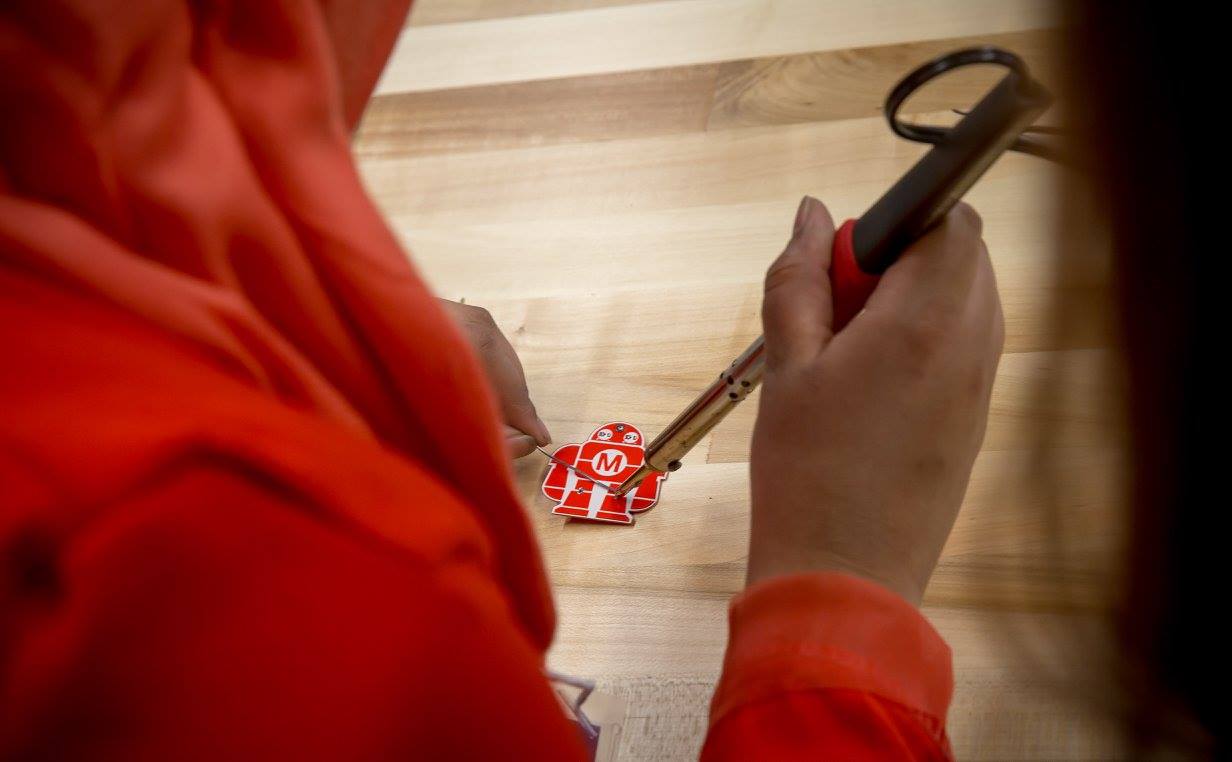
The main activity was the introduction of do-it-yourself electronics in the “petting zoo” stations. There were gadgets and gizmos galore, from a hobby-computer called an Arduino to a 3D printer. WVU StreamLab’s technology called a “riffle,” a thinner Arduino, also made an appearance. Participants learned how to solder robot pins with blinky eyes that many of them proudly wore the entire weekend.

Women learn how to solder a soon-to-be blinky robot in the Maker Lab. Photo Credit: David Smith.

Women learn how to solder a soon-to-be blinky robot in the Maker Lab. Photo Credit: David Smith.

I was impressed at how quickly everyone picked up the new technology in such a short amount of time. These women were unafraid and ready to innovate.

Day 2: Makers Gonna Make, Innovators Gonna Innovate

The morning was a blur, filled with more meeting and greeting and a kick-off message via Google Hangout with Umbreen Bhatti. Bhatti, a human-centered design coach who focuses on real human needs, gave us a pep talk about how to be problem solvers, empathize with users and use journalism for the greater good.

And then came the challenge: Identify a media or journalism problem and solve it using the IoT. The “media” parameter was set wide on purpose, so the solution could range from focusing on fixing a problem for media professionals or just using an app. From there, we were set loose to start working in teams.

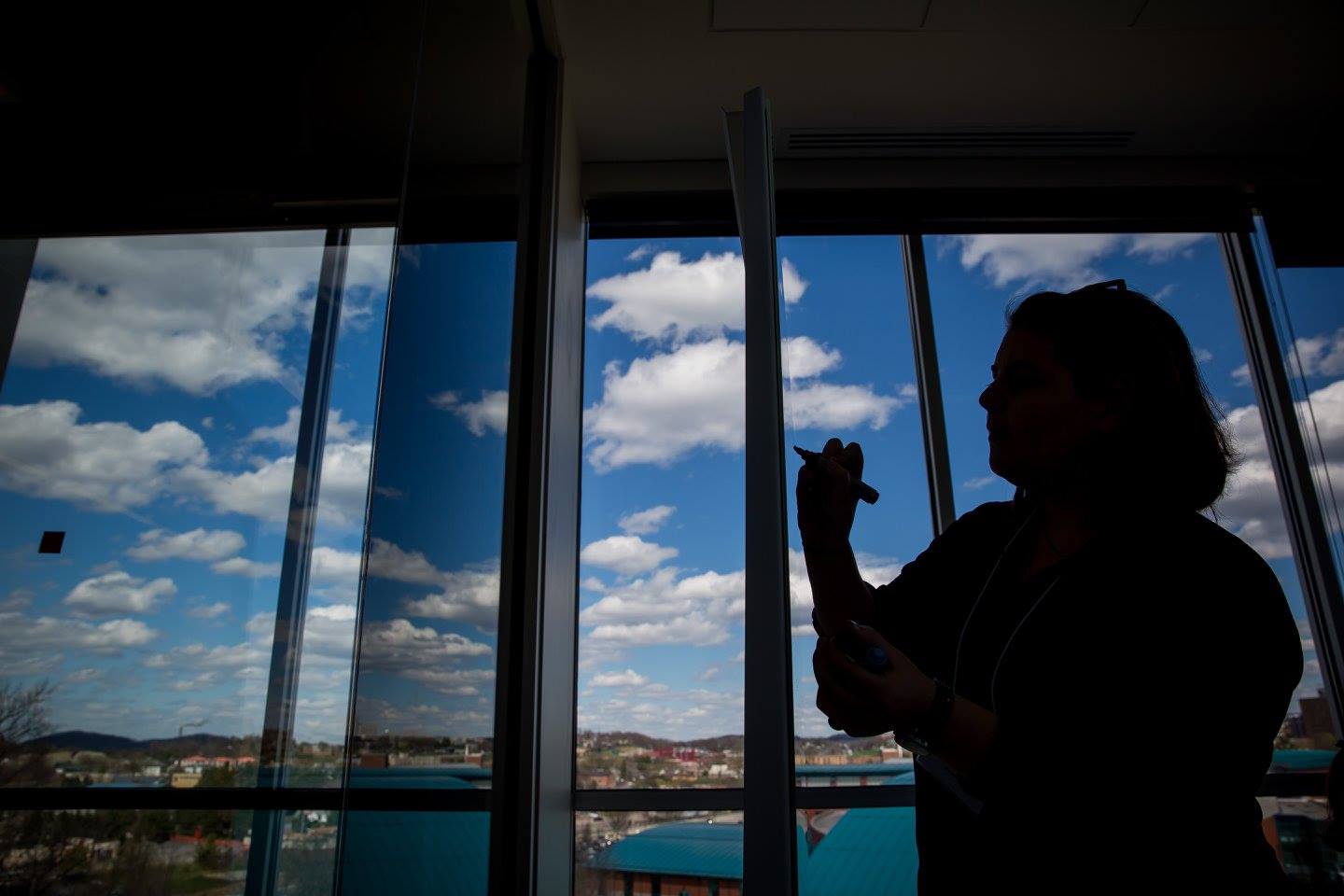
The Media Innovation Center at West Virginia University overlooks Morgantown. Photo Credit: David Smith

The Media Innovation Center at West Virginia University overlooks Morgantown. Photo Credit: David Smith

The organizers had divided us into teams, and our team name was derived from an object that each participant received when she arrived at the makeathon. My team – Team Scissors – was composed of Mary Chuff, a journalism student from Penn State; Birdie Hawkins, a strategic communications and recreation, parks and tourism resource student at WVU; Chelsea Bricker, a strategic communications student at WVU; and me, a journalism and wildlife & fisheries resource management student at WVU. Our mentor-facilitator was Kate Boeckman, a tracker of wearables and other new technologies for Thomson Reuters.

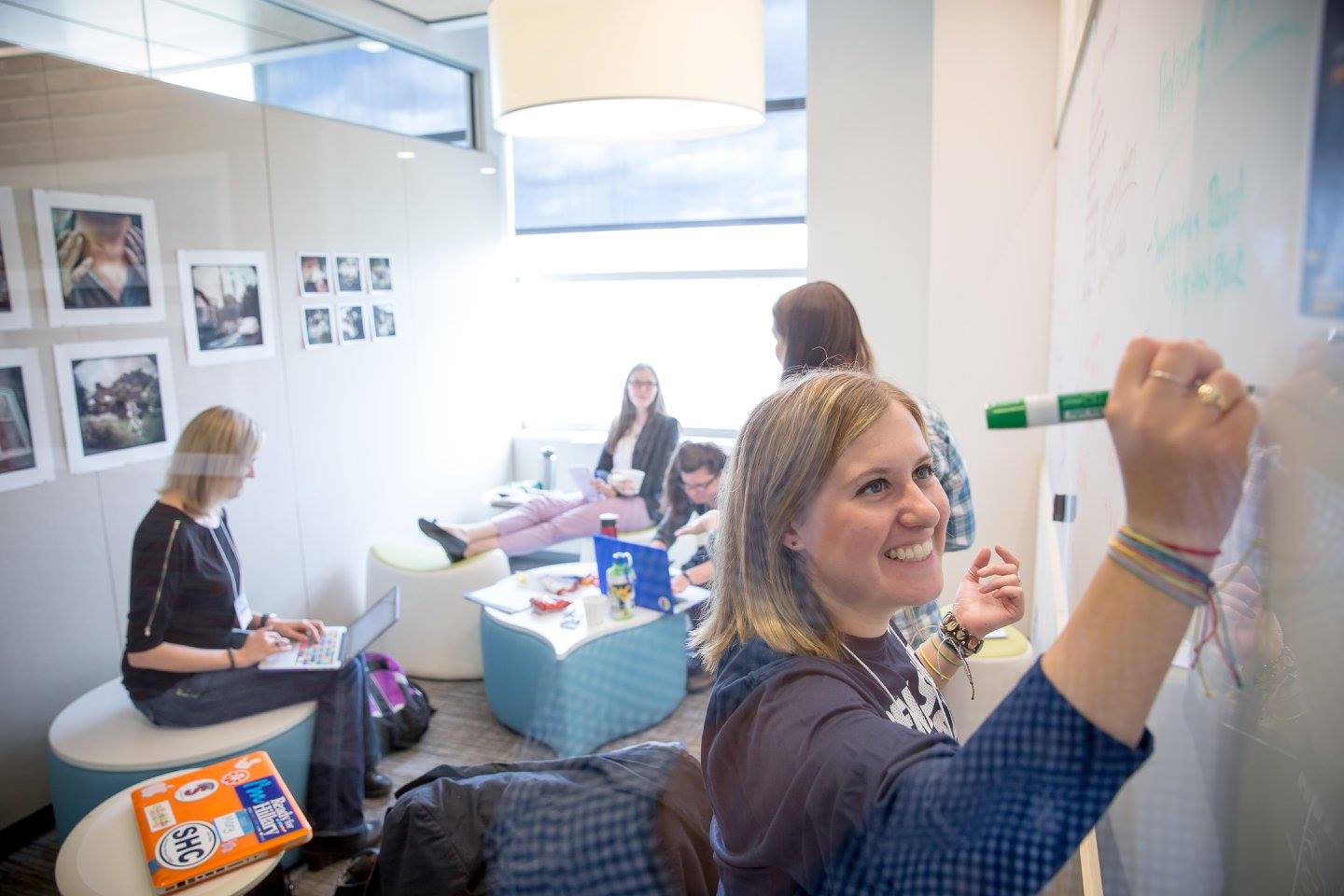
Team Scissors crafts ideas in a huddle room at the Media Innovation Center. Photo Credit: David Smith.

Team Scissors crafts ideas in a huddle room at the Media Innovation Center. Photo Credit: David Smith.

Team Scissors jumped on the wearables wagon early and tried to solve a problem of communication between younger and older generations. We nailed down a decent idea about a conversation bracelet to stimulate communication between young and old, but our IoT element was lacking.

That was especially apparent after a thorough explanation of IoT from BuzzFeed fellow Christine Sunu. She inspired us with her talk about devices that automatically connect to the internet, like a coffee maker that starts making coffee an hour before someone’s first appointment on a Google calendar.

After going back to our group huddle room, we shifted our attention to a problem in the media. We wanted to focus our wearable on working women rather than the generation gap. Women in their mid-to-late 20s sometimes are unsure of how to make new friends, especially in a new location, and we wanted to create a way for working women to find each other, stick together and help each other.

After a hysterical and motivational presentation from Tiffany Shackelford of the Association of Alternative Newsmedia about how to make money off an idea, we returned to our room and pulled our two concepts together.

Thus was born the Bonobo (not to be confused with the men’s clothing brand). It’s a keychain that “checks in” a woman when she arrives at work via GPS. Her location pops up on the app, which includes the locations of other women in the network to show that, “We’re all in this together. We’re all strong women at work now.” Other features on the app include an advice wall, event postings and coupons for socials.

The name stems from bonobo apes because, in their society, females are the dominant sex. The Bonobo reflected the entire weekend of empowering women to chase after their dreams, despite societal boundaries.

After an exhaustive day of thinking and planning our idea, and the looming presentation, we called lights-out around 9:45 p.m.

Day 3: Loud and Proud

The last day’s wake-up call was a presentation by Gina Dahlia, an associate professor of journalism at WVU. We learned all about how to give a killer presentation in fewer than five minutes, lessons that we directly applied to our pitch.

Our pitch was the focus of a two-hour brainstorming session on Sunday, and my team was excited and prepared. Putting the presentation together helped sharpen business skills I didn’t know I had.

At last, it was time for us to present our ideas to the judges. Seven other groups also presented unique solutions to completely different problems. All had excellent, impressive solutions. And then came the waiting game as the judges deliberated. Boeckman treated Team Scissors to coffee, and we nervously stirred our iced caramel macchiatos for what felt much longer than 30 minutes.

At last, they announced the winners. The Bonobo was not the winning idea, but that was OK. The judges were lovely and helpful and went through all projects, offering advice and tips for everyone.

Although we didn’t win, I was really proud of Team Scissors. We were five different women with totally different backgrounds who banded together to encourage others to do the same. The makeathon showed me that competition among women isn’t necessary and that we should build one another up instead of tearing each other down.

During the weekend, I witnessed feminine genius in a unique way. We will continue to hack the gender gap. I’m confident the gap will close one day, and I was glad to be one small part of the process.

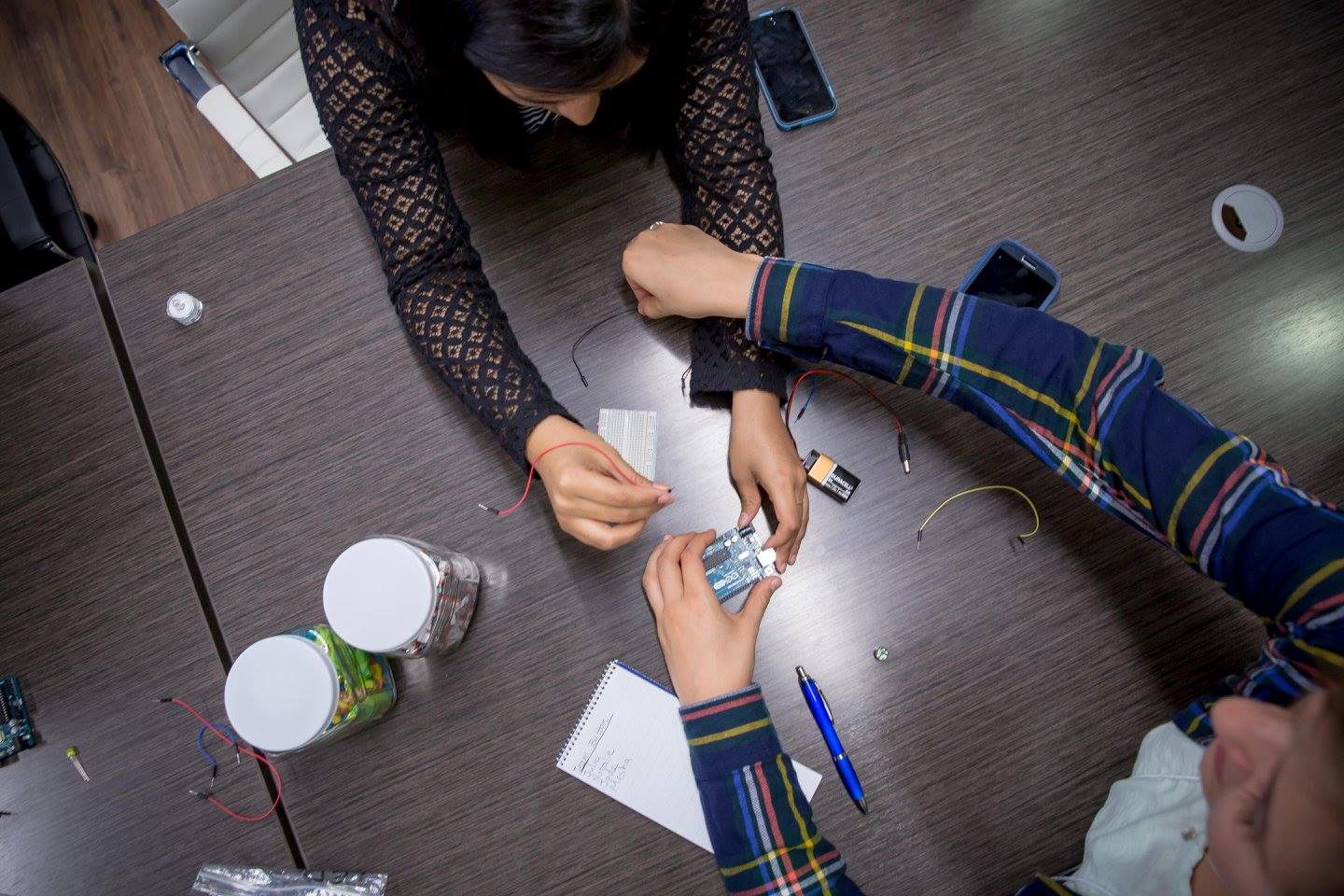
Women learn the interworkings of an arduino. Photo Credit: David Smith.

Women learn the interworkings of an arduino. Photo Credit: David Smith.

Jillian Clemente is a journalism and wildlife & fisheries resource management sophomore at West Virginia University. She loves to tinker with all aspects of the Internet of Things and hopes to bridge the technology and outdoor realms to help better the environment. She is a writer, hunter, bird nerd and pun lover. @jillyclementine

What makes a great photo editing intern (Apply now for Fall 2016!)

NPR Interns at workPhoto by Rachael Ketterer

This is not your standard photo internship!

This internship is an opportunity to learn more about the world of photo editing. Our goal isn’t to make you into a photo editor; we view this internship as a chance for you to understand what it is like to be an editor and improve your visual literacy, which can help you become a better photographer.

What you will be doing

  • Editing: You’ll be working closely with the Visuals Team’s photo editors (Ariel and Emily) on fast-paced deadlines – we’re talking anywhere from 15 minutes to publication, to short-term projects that are a week out. You’ll dig into news coverage and photo research, learning how to communicate about what makes a good image across a range of news topics, including international, national, technology, arts and more.

  • Photography: Depending on the news cycle, there may be opportunities to photograph DC-area assignments. This can mean you’d have one or two shoots in a week, or maybe just a couple shoots in a month. You’ll work closely with a radio or web reporter while out in the field, and a photo editor will go through your work and provide feedback for each assignment. There will also be a chance to work on portraiture and still lifes in our studio.

  • We also encourage each intern to create a self-directed project to work on throughout the semester. It can be an Instagram series, video, photo essay, text story or anything in-between. You can work independently or with another intern or reporter.

You will be part of NPR’s intern program, which includes 40-50 interns each semester, across different departments. There will be coordinated training and intern-focused programming throughout the semester, which includes meeting NPR radio hosts, career development and other opportunities. As an intern, you will be treated as a member of the team. Many NPR employees are former interns and they’re always willing to help current interns.

Eligibility

Any student (undergraduate or graduate), or person who has graduated no more than 12 months prior to the start of the internship period to which he/she is applying is eligible. Interns must be authorized to work in the United States.

Who should apply

We’re looking for candidates that have a strong photojournalism background. An interest in editing, or experience with video/photo editing is a nice plus. It’s also helpful if you’ve completed at least one photojournalism-focused internship prior to applying (let us know if you have!), though it’s not necessary. A portfolio, however, is required.

We also want folks who can tell us what they would like to accomplish during their time at NPR. What do you want to learn? What do you want to try? We try to shape each internship around our intern, so we rely on you to tell us what goals you have for your time with us!

So how do I apply?

Does this sound like you? Read our post about how to write a cover letter and then apply now!

The deadline for applications is May 22, 2016, 11:59pm EST.

Be our design/code/??? intern for fall 2016!

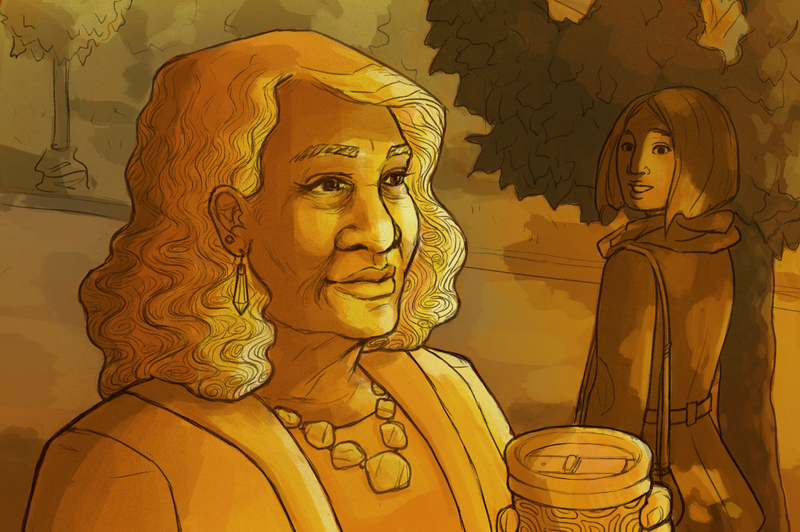
Increasingly, we're finding more ways to celebrate women older than 50.Illustration by viz team intern Annette Elizabeth Allen!

Hey! You! With the weird talent!

We have two internships on the Visuals team. One is for photo editing, the other, well, it’s weird.

We’ve had journalists who are learning to code, programmers who are learning about journalism, designers who love graphics, designers who love UX, reporters who love data, and illustrators who make beautiful things!

Does any of this sound like you? Please join our team! You’ll learn a ton and it’ll be fun.

Here’s how to apply

Read our post about how to write a cover letter and then apply now!

The deadline for applications is May 22, 2016, 11:59pm EST.

How Virtual Reality Will Revolutionize Multiple Industries

A version of this piece first appeared on Medium from the Tow-Knight Center for Entrepreneurial Journalism at CUNY’s Graduate School of Journalism.

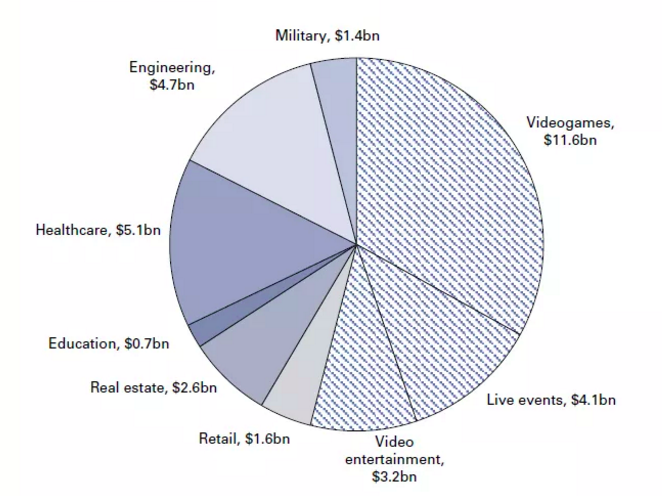
Goldman Sachs VR/AR software market assumptions for year 2025

Goldman Sachs VR/AR software market assumptions for year 2025

Virtual and augmented reality isn’t just the new cool thing. Serious reports are signaling tectonic shifts poised to disrupt a wide range of businesses.

According to a recent report from Goldman Sachs Research, VR and AR have the potential to become the next big computing platform. The report indicates that “VR and AR can reshape existing ways of doing things, from buying a new home to interacting with a doctor or watching a concert.”

Let’s consider some examples…

Video Games

The video game industry is the main dynamic behind the rise of today’s virtual and augmented reality market. Historically gamers’ demand for the best graphics has stimulated computer markets. There are already great game titles for HTC Vive, Oculus Rift and Playstation VR and more are on the way. According to a recent report from SuperData Research, the worldwide market for VR gaming will reach $5.1 billion in revenue in 2016 and an install base of 55.8 million consumers.   (Remember that Playstation VR has already a 36 million user base with PS 4.) This is an important sign that video games will drive the early adoption of virtual reality. Other industries should closely watch the lessons learned.

Healthcare

One of the biggest early adopters of virtual and augmented reality has been the healthcare industry. For years, VR & AR technology has been used as a critical element to train health professionals for surgeries. The greatest advantage of this technology is to offer trainings in a safe environment.

Real Estate

Architects and brokers can benefit from VR & AR to sell houses in a highly engaging way. Sotheby’s real estate agents or sales offices for Luma —  a new 24-story condominium development in Seattle’s First Hill neighborhood — have already started using VR headsets as a sales tool. Virtual reality offers depth and space that no video can show. The ability to show a realistic view of “currently non-existing spaces” can be quite engaging for potential customers.

Engineering

Virtual and augmented reality technology enables engineers to see and test their projects in a safe environment. Engineers can use VR and AR from the first concept designs through the whole implementation process and make changes accordingly.

Education & Training

One of the biggest application areas for VR & AR are education and training. These applications may be used by military, schools or public and private organizations. VR & AR’s ability to simulate real life scenarios in a safe environment creates endless possibilities to enhance the way we educate kids, train personnel or visualize complex theories without spending vast amounts of money.

What Can We Do To Innovate Our Businesses?

In a blog post, I announced my new Tow-Knight Entrepreneurial Journalism project Haptical as a VR & AR news service. I simply started by curating a weekly newsletter with an aim to give a better understanding of the VR & AR markets.

During four weeks, I received very positive feedback from Haptical’s followers. The subscription list kept growing — not in impressive quantity but with “quality.”

Currently there are around 125 people on the list — mainly from media, tech, education and marketing industries. The open rate is above 40 percent for the newsletter, which is not a bad number considering how busy our inboxes may be.

This small but significant interest in the Haptical newsletter has encouraged me to think more about what I could do next.

After thorough market research, interviews with potential users and the advice of my valuable Tow-Knight professors and mentors, I’ve decided to take Haptical to a new level.

1*YnKtWe1GXKLSMPOb6k9WNg

While billons of dollars being poured into the VR & AR market, a recent study finds that two thirds of Americans are still unaware of what VR & AR offers.

The reason for this lack of awareness isn’t clear, but there appears to be an information gap that needs to be filled with expertise.

What’s needed are the kind of experts motivated to connect the dots between what businesses need and what new technologies offer. These are the experts who will eventually turn VR & AR into a human platform, rather than just a device-centric technology platform — which is one of the main reasons behind the public’s current lack of awareness.

In order to fill this information gap, Haptical will offer a strategy service dedicated to helping organizations innovate and grow through next-generation computing platforms, like VR and AR.

Haptical will advise public organizations and private companies about the exciting possibilities that VR & AR offer to transform the way we communicate, entertain ourselves, educate our kids, train our employees and add exceptional values to our businesses. Haptical will organize events, workshops, trainings and publish market reports through time.

This is a long journey of discovery.

If you are excited like me about what VR & AR may bring to our lives, I’d be more than happy to talk to you!

Deniz Ergurel, 2016 Tow-Knight Fellow, is a tech journalist, advisor and entrepreneur. Find him on Twitter or Facebook. Follow Haptical newsletter on Medium or subscribe here.

Lunchbox Update: We’re Dropping Support For Electron

Last year, NPR Visuals sent a team to OpenNews’s Portland Code Convening to create Lunchbox, a suite of newsroom tools that make images for social media sharing, and make it easily deployable for newsrooms.

We decided to experiment with a new way of distributing newsroom technology – desktop apps, built with the brilliant library Electron. Electron allows you to build webapps with JavaScript and package them into native software. We also maintained the ability to deploy the app as a static webapp on Amazon S3 or a fileserver.

And truth be told, we’re still using Lunchbox as a web app, not as a desktop app. As it turns out, installing desktop apps across our newsroom with a corporate IT policy is pretty much impossible for us, and other Lunchbox users have faced similar problems across newsrooms.

Truth be told again, the Electron app for Windows was always super buggy in perplexing ways.

After talking to a few of our biggest users about Lunchbox, we’ve decided to drop Electron support for Lunchbox. We are now encouraging you to deploy the app to Amazon S3 or another fileserver. The processes for doing this are documented.

Moving Lunchbox to a web app first requires one change to Waterbug: Because of cross-domain issues, loading images into Waterbug from external URLs is unreliable and pretty much impossible from our end. So we’ve removed that from the app – users will need to download the image locally and then upload it into Waterbug.

Despite removing support, I’ve left all the electron code (basically a fab command and some npm config) in the app, in case anyone wants to continue building desktop apps (or fix the Windows app!). But we will not be actively developing or building desktop app versions of Lunchbox in the future.

If you would like to contribute to Lunchbox in any way, the repo is here. Feel free to open issues and submit pull requests!

Can We Save Journalism?

This piece first appeared on Medium from the Tow-Knight Center at CUNY’s Graduate School of Journalism.

Whatever happens next, I am always going to blame Hunter Page and his damn fool questions for starting me off on this journey. Hunter: “Pete, how are we going to save journalism?” Me: “Save journalism? I dunno.” Hunter: “But you must, we must. How are we going to know what’s going on when all the journos are sacked?”

That was almost four years ago, and yes, journalism did look a tad sick. I for one was out of a job, working out what to do next after taking a payout from the Sydney Morning Herald. (My best answer was starting PolitiFact Australia, an offspring of the Pulitzer prize-winning fact-checking service currently doing wonders for Donald Trump.)

Peak Content?

Chugach Mountains, Alaska. Photo by Paxson Woelber and used with Creative Commons license.

Chugach Mountains, Alaska. Photo by Paxson Woelber and used with Creative Commons license.

You’d be forgiven for thinking that journalism still appears a bit unwell, even though I can see plenty of reasons to be optimistic. Most legacy media companies are having to cut away at the cost base to cope with falling revenues. It would be great to see them paying as much attention to revenue innovation as cost reduction. But, hey, that’s another article.

Yes, journalism is going through a massive change and many journos have been sacked. About 1600 full-time positions have gone in Australia over the past five years. It is happening across the world.

But we, the public, still know what’s going, or to be more accurate, there’s still plenty of content out there. Masses. Sure, roughly half of it seems to be about cats and Kardashians, but if you have the time, you can read more and more widely now than ever before.

In fact, as Kevin Anderson recently argued in Media Briefing, we’ve probably reached Peak Content: the point at which the glut of “things to read, watch and listen to becomes completely unsustainable”.

Anderson, a media consultant, online innovator and former executive editor at Gannett, writes: “One of the few workable business models in this age of digital disruption has been to produce as much content as cheaply as possible.

“But flooding a glutted market only leads to a deflationary spiral until it becomes completely uneconomic to produce that commodity. It is a simple matter of economics, and it doesn’t matter whether that commodity is maize or media.”

It’s not only the journos pumping out the content; though my guess is that most journalists in full-time employment are pushing out about twice as much journalism now than they did a decade or so ago  —  and across an ever-growing number of platforms. I mean, who’d thought the Wall Street Journal would launch on Snapchat?

By the middle of last year there were 400 hours of video being uploaded to YouTube every minute, Anderson notes. That’s probably grown by more than 10 per cent since then. And that’s before we starting counting the daily avalanche of shared social media posts.

I don’t know if we’ve actually reached peak content — will someone shout “OK, everybody, you can stop filing”, when we get there? — but the glut of material is why another of Hunter’s question rings far truer and louder than his first: “In a world awash with content, how do you know who or what to trust?”

And, to add my own, who’s going to pay for all this journalism? (Anderson contends the media industry has reached the point where ad revenues won’t support current outputs.)

And how are we — the audience — going to value it?

Yes, that’s something to have a crack at for sure. Jeff Jarvis, the resident agent provocateur at City University New York’s graduate school journalism, where I am currently studying, argues that journalism needs to redefine its mission, that seeing ourselves as content creators is a trap. A more productive and sustainable idea is, he argues in “Geeks Bearing Gifts,” journalist as service provider.

“Consider journalism as a service. Content is that which fills something. Service is that which accomplishes something. To be a service, news must be concerned with outcomes rather than products. What should journalism’s result be? That seems obvious: better-informed individuals and a better informed society.”

This all sounds, well, nice and kinda common sense. A better-informed public? What’s not to like. Most journalists would consider what they do as a service to readers.

But, as Jarvis argues, it is the journalists who have defined the terms of that service rather than the public. That’s the bit that has changed. Forever.

“This idea of outcomes-oriented journalism requires that we respect the public and what it knows and needs to know. It forces us to stop thinking that we know better than the public. It leads us to stop thinking that we know better than the public. It leads us to create systems to gather the public’s knowledge.”

The Divine Right of the Editor

Image from Wikipedia.

Image from Wikipedia.

And, to be frank, most journalists and editors are pretty poor at understanding or even wanting to understand what the public thinks. The Divine Right of the Editor is an addictive drug to quit. I know.

I also know that despite the co-dependence of journalists and their readers (certainly from the journo side), many editors still have trouble seeing the relationship as an equal partnership or in fact one in which the audience should by rights have the upper hand.

A small example: one of my proudest moments as editor-in-chief of the Herald was to establish an independent in-house readers’ editor/quasi ombudsman, a senior member of staff whose job it was to question the decisions, practices and methods of the masthead and its editors in response to reader inquiries.

Soon after I left the Herald, my successor closed the job down. His rationale: why waste good money paying someone to shit in the paper’s own nest. Sure, he’s more than entitled to make hard calls. They were and still are tough times. But what sort of message did that action send to the readers? They are the last people you want to put off side. Right?

Anyway, back to Hunter, whom I should have mentioned isn’t a journalist. His mum and sister are. He’s in finance.

Hunter: “In a world awash with content, who are you going to trust.”

Well, I think we still can and should trust journalists and journalism, but, as Jarvis says and I’ve opined about before, we also have to listen to what the audience wants and needs.

We have to either make, find or share the tools that allow that listening to happen and we have to be entirely transparent about the how, what and why we are doing.

One of the many lessons from PolitiFact was the importance of listening, explaining and having an ongoing relationship with the audience. You can never do enough. On reflection, I should have done more. Next time. This time.

So, with the words of Page, Jarvis, Anderson and many others ringing in my ears, I’ve been thinking about a new journalism service, currently called GoClevr, that will curate and aggregate the sharpest, most insightful and, sometimes the most surprising, analysis, opinion and commentary by journalists.

It will give readers who don’t have the time to find their favourite bylined journalists or discover new ones, a daily digest of the best stuff going around.

Initially, I will curate the material (and if you are interested, please sign up to the coming-soon newsletter; details on the site) but the plan is to give readers the ability to pick the subjects and the authors they like.

GoClevr will listen and learn from the readers. It will give readers the information to make informed decisions about current events.

This is not the first idea in this space and it won’t be the last. But most other aggregators mainly offer news articles (and let’s face it, news is everywhere) and they don’t curate via the byline or author.

I have a few more ideas about how GoClevr will stand out from the pack, how it will work across publishers and most importantly, how it will deliver value to readers, journalists and publishers but I will save them for the next post.

Right now this is a voyage of discovery. Working with others, at CUNY and with people in Sydney and Zurich, I am trying to work out if whether it is something readers will value. I don’t know the answer yet and I won’t really know until GoClevr starts publishing and gaining feedback.

But I do think gaining insights into current events is a valuable commodity and many journalists, young and old, known and unknown, have something to contribute.

The challenge of age is to climb up and over Peak Content and bring back only the good stuff. That is the challenge I want to take on, with or without oxygen. Watch out for more updates.

I’d like to acknowledge the support of Sakura Sky, Hunter Page, Richard McLaren, Alistair Munro, and my peers and colleagues at University Technology Sydney and CUNY, especially Jeremy Caplan.

Peter Fray is an Australian editor, journalist and recent academic. He is currently a digital entrepreneurial fellow at CUNY and a professor of journalism practice at University of Technology Sydney and the former editor-in-chief or editor of The Sydney Morning Herald, The Sun-Herald, The Sunday Age and the Canberra Times. In 2013, he founded the fact-checking PolitiFact Australia and until joining UTS in late 2015, was the deputy editor of The Australian. After 30 years in journalism, he is starting to listen to the audience.

Reporter/Project Coordinator, Great Lakes Regional Journalism Collaborative

Position Summary

WNED | WBFO, Buffalo, is seeking an experienced journalist to serve as a reporter and project coordinator for the Great Lakes Regional Journalism Collaboration. The position will spend 50% time on each of the two activities and reports to the Managing Editor. The position is responsible for multi-media reporting of news and information stories related to the Great Lakes and for coordinator of overall project activities to accomplish the objectives of the RJC.

Duties and Responsibilities

Multimedia Journalist/Reporter

WOUB is accepting applications for a Multimedia Journalist/Reporter. This position produces high quality broadcast pieces for radio, TV and online focused on topics related to the areas surrounding the Ohio River. Must be able to mine for stories and conduct interviews for broadcast on regional radio and TV, with national submission. Position works primarily independently. Must have thorough knowledge of journalistic ethics and AP Style. Need to possess on-air hosting skills, and have extensive knowledge of technical aspects of digital recording and editing for both audio and video.

Director of Development

Director of Development – KRWG at New Mexico State University seeks an experienced fundraising leader that will plan, develop, implement, and manage marketing/fundraising activities including philanthropic initiatives, (Planned Giving & Major Gift Programs); direct advancement campaigns on‐air; online; and pursue corporate support for the federally licensed University radio and television stations in accordance with federal and state regulations.

Does anything HAPPEN in your story?In public radio, we cover a…


Does anything HAPPEN in your story?

In public radio, we cover a lot of policy issues affecting LOTS of people. These are hard stories to tell. We gather hours of tape with policymakers and people affected by policies – but it’s challenging to turn that into a compelling narrative.

Renata Sago of WMFE (edited by Brett Neely, NPR) solved that problem by narrating one thing happening to one person over the course of her story (you can listen above). She was reporting on Florida ex-felons trying to get their voting rights back. They must appeal to a powerful clemency board. 

Renata went to the clemency hearing and identified a person who could serve as a main character. Here’s how that one person is introduced:

SAGO: Justin drove seven hours for a five-minute chance to make his case. He waits in the back of the room, clutching an Expando file full of court papers. They date back to one mistake.

JUSTIN: In 1994, Miami, I was snatching a gold chain, and I did 31 months.

SAGO: He was 16.

JUSTIN: I never thought that snatching a gold chain would lead to this, that I’m in State Capitol at 38 years old trying to ask them for my rights back.

As the story proceeds, we hear the big picture – Florida’s difficult clemency process and its history – but we stick around to discover what happens to Justin. And in the end, we find out.

This is a simple story structure including the narrative arc of one person’s experience – surrounded by context. It’s simple, but vastly more listenable than a story that offers no protagonist and no reason to keep listening until the end.

                                                                        – Alison

PS - From NPR’s Editorial Training website, here are more strategies for structuring your stories, in order to give them narrative arcs.

Be our design/code/??? intern for summer 2016!

Increasingly, we're finding more ways to celebrate women older than 50.Illustration by viz team intern Annette Elizabeth Allen!

Hey! You! With the weird talent!

We have two internships on the Visuals team. One is for photo editing, the other, well, it’s weird.

We’ve had journalists who are learning to code, programmers who are learning about journalism, designers who love graphics, designers who love UX, reporters who love data, and illustrators who make beautiful things!

Does any of this sound like you? Please join our team! You’ll learn a ton and it’ll be fun.

Here’s how to apply

Read our post about how to write a cover letter and then apply now!

The deadline for applications is January 3, 2016, 11:59pm EST.

What makes a great photo editing intern (Apply now for Summer 2016!)

NPR Interns at workPhoto by Rachael Ketterer

This is not your standard photo internship!

This internship is an opportunity to learn more about the world of photo editing. Our goal isn’t to make you into a photo editor; we view this internship as a chance for you to understand what it is like to be an editor and improve your visual literacy, which can help you become a better photographer.

What you will be doing

  • Editing: You’ll be working closely with the Visuals Team’s daily news photo editors (Ariel and Emily) on fast-paced deadlines – we’re talking anywhere from 15 minutes to publication, to short-term projects that are a week out. You’ll dig into news coverage and photo research, learning how to communicate about what makes a good image across a range of news topics, including international, national, technology, arts and more.

  • Photography: Depending on the news cycle, there may be opportunities to photograph DC-area assignments. This can mean you’d have one or two shoots in a week, or maybe just a couple shoots in a month. You’ll work closely with a radio or web reporter while out in the field, and a photo editor will go through your work and provide feedback for each assignment. There will also be a chance to work on portraiture and still lifes in our studio.

  • We also encourage each intern to create a self-directed project to work on throughout the semester. It can be an Instagram series, video, photo essay, text story or anything in-between. You can work independently or with another intern or reporter.

You will be part of NPR’s intern program, which includes 40-50 interns each semester, across different departments. There will be coordinated training and intern-focused programming throughout the semester, which includes meeting NPR radio hosts, career development and other opportunities. As an intern, you will be treated as a member of the team. Many NPR employees are former interns and they’re always willing to help current interns.

Eligibility

Any student (undergraduate or graduate), or person who has graduated no more than 12 months prior to the start of the internship period to which he/she is applying is eligible. Interns must be authorized to work in the United States.

Who should apply

We’re looking for candidates that have a strong photojournalism background. An interest in editing, or experience with video/photo editing is a nice plus. It’s also helpful if you’ve completed at least one photojournalism-focused internship prior to applying (let us know if you have!), though it’s not necessary. A portfolio, however, is required.

We also want folks who can tell us what they would like to accomplish during their time at NPR. What do you want to learn? What do you want to try? We try to shape each internship around our intern, so we rely on you to tell us what goals you have for your time with us!

So how do I apply?

Does this sound like you? Read our post about how to write a cover letter and then apply now!

The deadline for applications is January 3, 2016, 11:59pm EST.

We’re looking for a developer to help us build Carebot

The NPR Visuals team

We’re looking for a programmer to join our team for a few months.

Your mission? Break the news’s addiction to pageviews, by bringing meaningful analytics to journalists.

Why?

At NPR Visuals, our goal is to make people care. To get them to give a shit about tough problems and people they’ve never met. It’s our job to create empathy in world.

If that’s our goal, how do we know if we’re accomplishing it? How do we celebrate success?

Enter the Carebot!

Because what you choose to celebrate is super important. If your organization celebrates pageviews, people will create work that gets more pageviews. But it’s not our job to get clicks. Our job is to touch hearts. And so we must celebrate stories that do that.

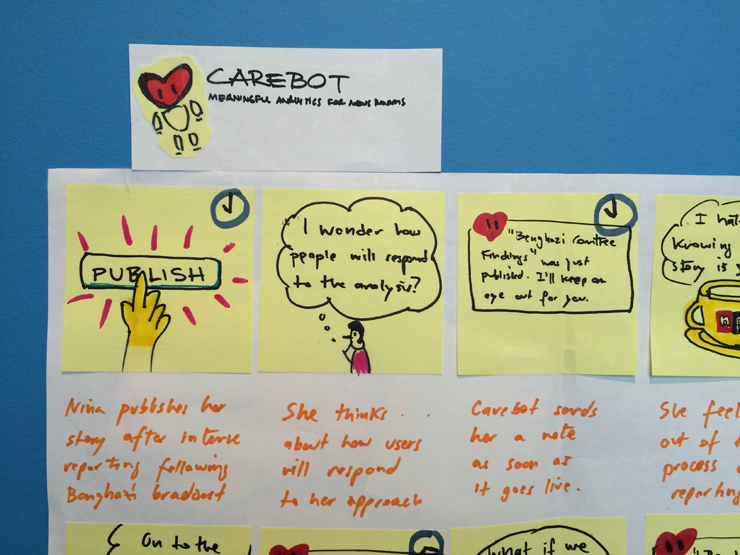
Basic web analytics don’t help us do that. So we applied for a Knight grant to build something we’re calling Carebot.

Carebot will be a little system for gathering, analyzing and distributing better analytics. (Specifically, there’ll be some javascript, some back-end server and API stuff, and a bunch of notification things like email and Slack bots and stuff.) We’ve only got a few months to work on it, so we’re building a prototype. It will help us test an idea: that better analytics make for better journalism.

Who? When? Where?

Carebot will be built by a small team next winter/spring. You’ll be working closely with UX expert Livia Labate, our lead architect David Eads, and other members of the Visuals team.

We’re based in Washington, DC. It’s cool if you work remotely, but we’ll want you here a couple times during the project. (We’d cover those travel costs.)

It’s a three-month gig, Februaryish-Aprilish.

Interested? Email bboyer@npr.org.

Know somebody who’d love this? Please spread the word!!!

Gut check: How to capture the emotion of a moment

What do you do after finishing a bunch of interviews in the field? 

You double check your recorder… Was I actually rolling? Phew!… You record a bunch more ambience… The producers will always ask me for more… What else?

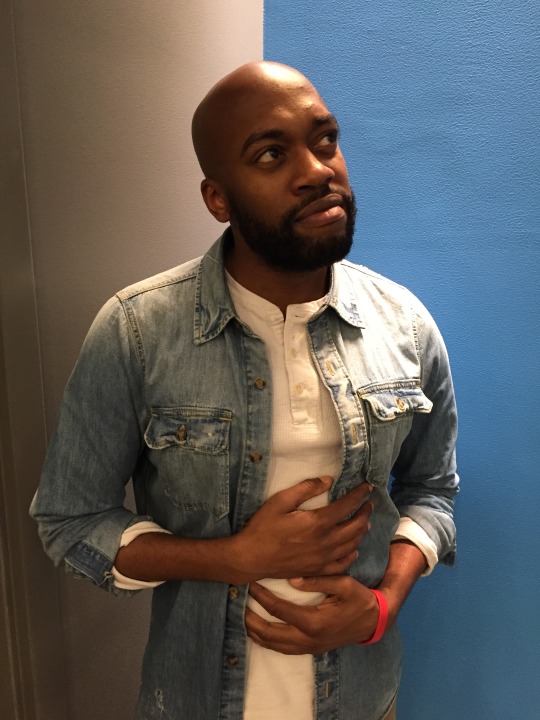
NPR’s Sam Sanders does what he calls “an emotional gut check” (see photo above for Sam’s demonstration). He pauses to ask himself, “How do I feel? How do the folks I talked to feel? How does the entire moment feel?” 

Sam explains why: 

“I do it because so often in our reporting, we’re focused on the facts – how big was the crowd, who said what, what might happen next, etc. But a lot of times, the color and the FLAVOR of the piece will come from the mood of the scene, something that isn’t always found in your audio when you’re playing it back later. I’ve found that, at least for me, I have to actually stop myself, to ask what the mood is.”

For Sam, these gut checks frequently result in down-to-earth, relatable pieces of writing. Like this, from a story about mega-Ben Carson fans:

ADDY EARHART: I was shaken.

SANDERS: You were shaken.

EARHART: Yeah.

SANDERS: Why were you shaken?

EARHART: I was just so nervous.

SANDERS: She was like a teenage fan meeting a Taylor Swift or a One Direction. At every event, there are attempts at weird quick hugs, selfies taken before handlers quickly push fans away and tears…

Sam explains that he wouldn’t have come up with the comparison to Taylor Swift and One Direction if he hadn’t paused to ask himself, “What does this scene feel like?” 

And another thing: Sam always runs these sentiments by his editor – because every gut check needs a gut check.

                                                                        – Alison 

Tow Report Details the Power and Promise of Crowdsourcing

Posted To: Ideas & Innovation > Blogically Thinking

Posted To: Ideas & Innovation > Articles

First published Nov. 23, 2015 on Mediashift.org.

Jan Schaffer co-authored this report with Mimi Onuoha, a Fulbright-National Geographic fellow and data specialist, and Jeanne Pinder, founder of ClearHealthCosts.com, which crowdsources medical costs.


When CNN recently announced it was ending its longstanding iReport crowdsourcing efforts to, instead, source stories directly from social media streams, it was a notable marker signaling how news organizations are making different choices about audience growth and engagement.

It also affirmed the findings in our Guide to Crowdsourcing, released Nov. 20 by Columbia’s Tow Center for Digital Journalism.

As far as engagement around creating content, our team saw two paths clearly emerging: One involves news organizations investing major resources into inviting and organizing input from their audiences. The other involves culling non-solicited contributions from social media to help either create a story or identify story ideas.

The label “crowdsourcing” has been applied to both. Indeed, the term has become conflated with many things over the last decade. Some regard all story comments as crowdsourcing. Others apply it to any user-generated content, distributed reporting, collaborative journalism, networked journalism, participatory journalism and social journalism as well. To be sure, all of these share attributes.

Our task, we decided, was to zero in on journalism efforts that involve specific call-outs. Then, through interviews, a survey and case studies, we developed a new typology to spotlight how journalists are using crowdsourcing. The team included me, Mimi Onuoha, a Fulbright-National Geographic fellow and data specialist, and Jeanne Pinder, founder of ClearHealthCosts.com, which crowdsources medical costs.

OUR DEFINITION
Here’s our definition: Journalism crowdsourcing is the act of specifically inviting a group of people to participate in a reporting task- — such as newsgathering, data collection, or analysis — through a targeted, open call for input, personal experiences, documents, or other contributions.

Using that definition, we found that most crowdsourcing generally takes two forms:

  • An unstructured call-out, which is an open invitation to vote, email, call, or otherwise contact a journalist with information.
  • A structured call-out, which engages in targeted outreach to ask people to respond to a specific request. Responses can enter a newsroom via multiple channels, including email, SMS, a website, or Google form. Often, they are captured in a searchable database.

We assert that crowdsourcing requires a specific call-out rather than simply harvesting information available on the social web. We believe that the people engaging in crowdsourcing need to feel they have agency in contributing to a news story to be considered a “source.”

While crowdsourcing efforts don’t fit neatly into classifications, for this guide, we’ve organized our typologies by six different calls to action:

  1. Voting — prioritizing which stories reporters should tackle.
  2. Witnessing — sharing what you saw during a breaking news event or natural catastrophe.
  3. Sharing personal experiences — divulging what you know about your life experience. “Tell us something you know that we don’t know.”
  4. Tapping specialized expertise — contributing data or unique knowledge. “We know you know stuff. Tell us the specifics of what you know.”
  5. Completing a task — volunteering time or skills to help create a news story.
  6. Engaging audiences — joining in call-outs that range from informative to playful.


We found that crowdsourcing has produced some amazing journalism. Look at ProPublica’s efforts on Patient Safety, political ad spending, or Red Cross disaster assistance. Or check out The Guardian’s efforts to chronicle people killed by police in the U.S., or track expenditures from Members of Parliament. See what WNYC has done to map winter storm cleanup. Or look what stories listeners wanted CNN Digital’s John Sutter to do in its 2 Degrees project on climate change.

Crowdsourcing made all these stories possible.

It has also made journalism more iterative – turning it from a product into a process. It enables newsrooms to build audience entry points at every stage of the process — from story assigning, to pre-data collection, to data mining, to sharing specialized expertise, to collecting personal experiences and continuing post-story conversations on Facebook and elsewhere. Moreover, experienced practitioners are learning how to incrementally share input in ways that tease out more contributions.

We see how today’s crowdsourcing would not be possible without advances in web technologies that have made it easier for journalists to identify and cultivate communities; organize data; and follow real-time, breaking-news developments.


Journalistic Tensions

Still, crowdsourcing produces some tensions within the industry, Some journalists worry about giving the audience too much input into what their newsrooms cover. Others fear the accuracy of the contributions citizens make — a concern that long-time crowdsourcers dismiss. Many investigative reporters, in particular, recoil at telegraphing their intentions through an open call for contributions.

Others balk at committing the resources. Crowdsourcing can be a high-touch activity. Journalists must strategize about the type of call-out to make, the communities to target for outreach, the method for collecting responses, and the avenues for connecting and giving back to contributors to encourage more input. That is all before the contributions are even turned into journalism.

We found that, for all its potential, crowdsourcing is widespread and systemic at just a few big news organizations — ProPublica, WNYC, and The Guardian, for example. At other mainstream news organizations, only a handful of reporters and editors — and not the institutions themselves — are the standard bearers.


Crowdsourcing and Support for News

There are intriguing clues that there is a business case for crowdsourcing. Indeed, some crowdsourcing ventures, such as Hearken and Food52, are turning into bona fide businesses.

For digital-first startups, in particular, crowdsourcing provides a way to cultivate new audiences from scratch and produce unique journalism. Moreover, once communities of sources are built, they can be retained forever — if news organizations take care to maintain them with updates and ongoing conversation

Amanda Zamora, ProPublica’s senior engagement editor, credits their crowdsourcing initiatives with building pipelines directly to the people who are affected.

“We are creating lists of consumers interested in our stories,” she said in an interview.

She recently spearheaded the creation of the Crowd-Powered News Network, a venue for journalists to share ideas.

Jim Schachter, vice president for news at WNYC, said the engagement levels seen in crowdsourcing help the station get grants and bolster its outreach to donors.

Within the news industry, however, we think wider systemic adoption awaits more than enthusiasm from experienced practitioners and accolades from sources who welcome contact. Ways of measuring the impact of engaging in crowdsourcing initiatives and analyzing its value to a newsroom must be further developed.

We ask, for instance, whether crowdsourced stories have more real-world impact, such as prompting legislative change, than other types of journalism do?

To that end, we advocate for more research and evidence exploring whether crowdsourcing can foster increased support for journalism. That support might take the form of audience engagement, such as attention, loyalty, time spent on a site, repeat visits, or contributing personal stories. Or it might involve financial support from members or donors, from advertisers who want to be associated with the practice, or from funders who want to support it.


“The soufflé collapses” and other writing that surprises

The man in this photo is Ilya Marritz. He is NOT a football player. He’s the host of WNYC’s podcast “The Season,” which ends its season this week. Ilya has been narrating, in serialized form, the story of the underdog Columbia football team.*

image

Also, Ilya is a great writer. What he does so well is describe things in surprising and specific ways. Here are just a few examples:

  • When Columbia almost wins its first game in 2 years and then blows it, “the soufflé collapses.”
  • When Ilya describes a post-game locker room, it smells of “Lycra marinated in sweat.”
  • When the team misses a field goal during a game in Ithaca, NY, “the ball flies off in the direction of Syracuse.”

In these examples, the descriptions aren’t predictable and, because of that, they’re especially evocative. “Lycra” (specific) and “marinated” (surprising) is much better than “uniforms” and “soaked.” 

Ilya’s writing is also restrained. If every sentence were peppered with this kind of description, it would be too heavy on the ears. So he’s sparing; every once in a while, Ilya drops in a gem. 

You can do that, too. In any story – long or short – you can offer what some people call “a grace note,” or “spark,” or a moment of “flair.” Just a word or phrase. In this post from the NPR Editorial Training website, it’s described as dropping “gold coins along the path… every 60 seconds or so.”

                                                                                 – Alison

*(Disclaimer: Ilya is a friend of mine.)

Photo credits: Matt Collette (above, Ilya in the uniform); WNYC (below, podcast logo)

image

Do Visual Stories Make People Care?

Since we published Borderland in April of 2014, the NPR Visuals Team has been iterating on a style of storytelling we call “sequential visual stories.” They integrate photography, text, and sometimes audio, video or illustration into a slideshow-like format. My colleague Wes Lindamood already wrote more eloquently than I can about the design approach we took to evolving these stories, and you should absolutely read that.

In this blog post, I will use event tracking data from Google Analytics to evaluate the performance of certain features of our sequential visual storytelling, focusing on our ability to get users to start and finish our stories.

With a few aberrations, we have consistently tracked user engagement on these stories and, with over 2 million unique pageviews on our sequential visual storytelling, we can come to some conclusions about how users interact with this type of storytelling.

Why Do This?

At NPR Visuals, our mission is to make people care. In order to determine whether or not we are making people care, we need a better tool than the pageview.

You may have heard the Visuals Team recently received a Knight Prototype Grant to build a product we’re calling Carebot. We’re hoping the Carebot can help us determine whether people cared about our story automatically and quickly. Consider this exploration a very manual, very early, very facile version of what Carebot might do.

Clear Calls To Action Work

A consistent feature among our set of stories is a titlecard that presents a clear call to action, often asking users to “Go” or “Begin”, which advances the user to the next slide. Using Google Analytics, we were able to track clicks on these buttons. Of the 16 stories we tracked begin rates on, nine of them have begin rates of greater than 70%.

An example titlecard

For the stories where begin performance fell flat, we can point to a clear reason: “Put on your headphones” prompts or similar notices that audio will be a part of the experience. Of all users who saw a titlecard without an audio notice, 74.4% of them clicked to the next slide. If an audio notice was on the slide, only 59.8% of users faced with that titlecard moved forward. The lowest performing titlecard was on prompted users to “Listen” instead of “Begin.”

It is also worth nothing that we have tried audio notices at other places in our stories, and we see similar levels of dropoff. In Drowned Out and Arab Art Redefined, we placed the audio notice on a second slide. With Drowned Out, only 61.28% of users got past both slides, while with Arab Art Redefined, only 44.3% did. Though these are two examples with lower traffic than most stories, it seems clear that this is not a more effective way of getting users into the story.

Does this mean we should remove audio notices from titlecards? Or stop doing sequential visual stories that integrate audio altogether? Not necessarily. As we will see later, stories with audio in them perform better in other aspects that filter out the begin rate.

People Read — Or Watch! — Sequential Visual Stories

One of the most important metrics for determining the success of our stories is completion rate. Completion is defined as when a user reaches the last slide of content in a sequential visual story.

We can calculate the mean completion rate for our sequential visual stories by taking the overall completion rate of each story, adding them together, and dividing by the total number of stories. This places equal weight on each story rather than letting certain stories with outsized traffic numbers skew the results.

Across our sequential visual stories, this method shows a 35.4% completion rate on average.

Compare that to Chartbeat data about the average web page, where 55% of users spend less than 15 seconds on a page. Chartbeat never talked about completion rate, but if the average web page were to compete with our sequential visual stories, 85-90% of users who spend more than 15 seconds with a page would have to finish the page. That seems unlikely.

However, completion rates varied wildly across stories. In our first sequential visual story, Borderland, we only acheived a completion rate of 20%. It was also 130 slides long, nearly twice as many slides as any other sequential visual story we’ve done. Meanwhile, The Unthinkable, a heavy story about the “war on civilians” in Yemen, managed a completion rate of 57.6%, our highest ever. It clocked in at 35 slides.

Despite these two data points, there seems to be no correlation between number of slides and completion rate. For example, Plastic Rebirth, a relatively quick story about plastic surgery in Brazil, only had 33 slides and had completion rate of 33.2% (which is a number we were still pretty happy with).

A Better Completion Rate

However, as demonstrated by the wide variance in begin rate across stories, completion rate is highly influenced by the ability for the titlecard to entice people to continue into the story. So I created a new metric, what I call “engaged user completion rate,” to find which of our stories were doing the best at pulling an engaged user all the way through. Engaged user completion rate uses the number of users who began the story as the denominator instead of the number of unique pageviews.

Our average engaged user completion rate across stories was 50.9%. But the data gets more interesting when we start dividing by story subtypes — particulary the divide between stories that integrate audio and those that do not. In that divide, the average engaged user completion rate for stories with audio is 54.5%, compared to 48.5% without.

(Note that for all of these calculations, I considered “beginning” the story getting after the audio notice on the second slide in the case of Drowned Out and Arab Art Redefined.)

So what’s the answer? I think the jury is still out on whether integrating audio into our sequential visual stories makes them perform better or worse because our sample size is still quite small, but early indicators point towards them being better for users that choose to engage. However, A Photo I Love: Reid Wiseman is our highest performing story overall with regards to engaged user completion rate, so we have evidence that at its best, combining audio and visuals can make a compelling, engaging story.

So, Did We Make People Care?

Maybe? It’s clear that we are achieving high completion rates even on our lowest performing stories. Consider that Borderland, our lowest performing story with a completion rate of 20.1% and engaged user completion rate of 31.6%, was over 2,500 words long.

Of course, in order to determine how successful we were, we often track other metrics such as shares per pageview, as well as qualitative measures like sampling Facebook comments and Twitter replies.

Ultimately, making people care is about the quality of the story itself, not about the format in which we tell it. But I think that, with stories where text plays a large role, we are capable of making people read stories longer than they normally would because of how sequential visual storytelling allows us to pace the story.

Of course, this is not an argument for telling all stories in the sequential visual story format. Sequential visual stories work when the visuals are strong enough for the treatment. Not all of our stories have worked. But when they do, we can tell important stories in a way that pulls people through to the end.

To truly evaluate the success of our sequential visual stories, it would help to see data from other organizations who have tried this type of storytelling. If you have insights to share, please share them with me in the comments, on Twitter or through email at tfisher@npr.org. Or, even better, write a blog post!

We’re hiring a developer!

The NPR Visuals team

Love to code?

Want to use your skills to make the world a better place?

We’re a crew of visual journalists (developers, designers, photojournalists…lots of things) in the newsroom at NPR headquarters in sunny Washington, DC. We make charts and maps, we make and edit pictures and video, we help reporters with data, and we create all sorts of web-native visual stories and weird data-driven websites.

(And yeah, sometimes it’s strange to be a visuals team at a radio organization. But there’s this special thing about audio. It’s intimate, it’s personal. Well, visual storytelling is really similar. It’s power is innate. Humans invented writing — visual and audio storytelling are built in, deep in our primordial lizard brains. So, anyway, yeah, we fit right in.)

Pictures and graphics are little empathy machines. And that’s our mission. To create empathy. To make people care.

It’s important work, and great fun.

And we’d love it if you’d join us.

We believe strongly that…

You must have…

  • Experience making things for the web (We’ve got ways we like to do things, but we love to meet folks with new ideas and talents!)
  • Attention to detail and love for making things
  • A genuine and friendly disposition

(What “developer” exactly means for this position is pretty flexible. You might do lots of front-end stuff like graphics, or data crunching, or other stuff. We’d love to hear from people with many different skills and interests!)

Bonus points for…

  • Deep knowledge of Javascript and programming performant web software
  • Proven experience and a passion for running open-source projects
  • A background in data journalism and/or news graphics

Allow me to persuade you

The newsroom is a crucible. We work on tight schedules with hard deadlines. That may sound stressful, but check this out: With every project we learn from our mistakes and refine our methods. It’s a fast-moving, volatile environment that drives you to be better at what you do, every day. It’s awesome. Job perks include…

  • Live music at the Tiny Desk
  • All the tote bags you can eat
  • A sense of purpose

Know somebody who’d love this job?

Maybe it’s you?

Email bboyer@npr.org! Thanks!

Introducing training.npr.org

image

Today we’re very excited to unveil a new site – training.npr.org.

We created it for the many journalists working in public media. Sometimes it can feel impossible to find the time and space to hone your storytelling techniques, learn something new or experiment with new tools. We hope the site will help jumpstart all of that for you. It features guides and best practices in four categories: audio, digital, social media and visual.

Check it out and let us know what you think. We’re just getting started!

                                                                  —Serri

Do you even Snapchat, bro?

image

NPR’s social media intern Vesta Partovi has taken our Snapchat/Periscope game to a new level with this custom iPhone rig (dubbed “Wombat”). She put it together with the help of two NPR engineers and photographer John Poole

She writes: 

The idea for a Snapchat rig came about after a conversation John and I had last week. We were talking about Snapchat and it’s emergence as a platform for short-form filmmaking. When new technology for storytelling kicks off, creators get excited. We already have the skills, we just need the right tools to optimize them! As NPR folk, we knew that having bad audio was out of the question. As filmmakers, we knew that using steady camera-microphone rigs was a way of life. Being John, he had already invented something similar with Ben for use on a Periscope experiment. Right then and there, Wombat was born.

The rig itself is a shotgun microphone with pistol grip, this $6 cellphone tripod mount, a XLR-to-iPhone adapter (like this), a few screws and a clamp. Now she’ll be able to capture much smoother video and better sound at the same time. You can see the results in action on Snapchat — follow “nprnews”

The lesson: A lo-fi platform like Snapchat doesn’t have to mean low-tech. A few small adjustments can really make your work shine.

                                                                    —Serri

The Pympocalypse

Everything was going so well. We finally had a solution for embedding responsive charts inside our CMS. We called it pym.js. We had built a framework around it, the dailygraphics rig, and when that worked for us we shared it with the world. It even worked for member stations.

Then there came unexpected implication was something was very wrong. It first manifested in a ticket numbered 97. We took it as nothing important at first. But soon that number was appearing everywhere. Every day. In every inbox. It’s the user, we said. But the evidence of a real problem was looming larger and larger. Something was very wrong with pym.

At first we thought it was a just member station issue; a singular problem brought on by their implementation of PJAX. They wanted the audio to work on every page — and across pages! What were they thinking? They had broken our elegant solution by creating pages that never refresh!

What I didn’t know then is that we had not yet begun to suffer. Just when it had started to hurt, I received an unexpected email from an engineer on the NPR.org CMS team. They were going to PJAX our site too! Bow down to persistence! he said. No browser upon these lands shall ever be refreshed! (Or something to that effect.)

It was a dark day in August. The closer we looked, the more problems we found. jQuery wasn’t on the page anymore. Our script tags didn’t work right. Nothing worked when you changed pages. Event handlers stayed bound to their pages like ghosts. We looked to our source code — so simple! How could it all have gone so wrong?

<div id="responsive-embed-homeless-vets-budget">
</div>
<script src="http://apps.npr.org/dailygraphics/graphics/homeless-vets-budget/js/lib/pym.js" type="text/javascript"></script>
<script type="text/javascript">
$(function() {
    var pymParent = new pym.Parent(
        'responsive-embed-homeless-vets-budget',
        'http://apps.npr.org/dailygraphics/graphics/homeless-vets-budget/child.html',
        {}
    );
});
</script>

The dark times began. We plucked at our keyboards morning to night. Dark shapes coalesced and spoke, offering shadowy pacts from godforsaken corners of the abyss. You can get that event handler back, said one. You only have to override window.addEventListener. No harm in it. And so I did. I wrote a wrapper around the default event binding so I could capture anonymous callbacks bound in our own library.

Our assets were independent of the require.js context that was being used to load the core site assets, so we had had to write our own require.js context onto the page and asynchronously load our Javascript libraries into that context. And, for those that depended on jQuery, we had to load that first.

The problems compounded. We had several versions of pym in use on the site. Each had its own specific edge-cases we had to support. All of our solutions also had to work with both the old version of the CMS and the new version, so that we could rollover gracefully.

BEHOLD! This is the horrible contraption we have created!

<div id="responsive-embed-homeless-vets-budget"></div>
<script type="text/javascript">
    // Require.js is on the page (new Seamus)
    if (typeof requirejs !== 'undefined') {
        // Create a local require.js namespace
        var require_homeless_vets_budget = requirejs.config({
            context: 'homeless-vets-budget',
            paths: {
                'pym': 'http://apps.npr.org/dailygraphics/graphics/homeless-vets-budget/js/lib/pym'
            },
            shim: {
                'pym': { exports: 'pym' }
            }
        });

        // Load pym into locale namespace
        require_homeless_vets_budget(['require', 'pym'], function (require, Pym) {
            var messageHandler = null;
            var resizeHandler = null;

            // Cache window event binding method
            window.realAddEventListener = window.addEventListener;

            // Monkey patch window event binding method
            window.addEventListener = function(type, listener, capture) {
                // Fire default behavior
                this.realAddEventListener(type, listener, capture);

                // Catch events that pym binds anonymously
                // In pym 0.4.2 these were given explicit names, but
                // this solution works for all versions.
                if (type == 'resize') {
                    resizeHandler = listener;
                } else if (type == 'message') {
                    messageHandler = listener;
                }
            };

            // Create pym parent
            var pymParent = new Pym.Parent(
                'responsive-embed-homeless-vets-budget',
                'http://apps.npr.org/dailygraphics/graphics/homeless-vets-budget/child.html',
                {}
            );

            // Reattach original window event binding method
            window.addEventListener = window.realAddEventListener;

            // Unbind events when the page changes
            document.addEventListener('npr:pageUnload', function(e) {
                // Unbind *this* event once its run once
                e.target.removeEventListener(e.type, arguments.callee);

                window.removeEventListener('message', messageHandler);
                window.removeEventListener('resize', resizeHandler);

                // Explicitly unload pym library
                require_homeless_vets_budget.undef('pym');
                require_homeless_vets_budget = null;
            });
        });
    // Require.js is not on the page, but jQuery is (old Seamus)
    } else if (typeof $ !== 'undefined' && typeof $.getScript === 'function') {
        // Load pym
        $.getScript('http://apps.npr.org/dailygraphics/graphics/homeless-vets-budget/js/lib/pym.js').done(function () {
            // Wait for page load
            $(function () {
                // Create pym parent
                var pymParent = new pym.Parent(
                    'responsive-embed-homeless-vets-budget',
                    'http://apps.npr.org/dailygraphics/graphics/homeless-vets-budget/child.html',
                    {}
                );
            });
        });
    // Neither require.js nor jQuery are on the page
    } else {
        console.error('Could not load homeless-vets-budget! Neither require.js nor jQuery are on the page.');
    }
</script>

I don’t even know what to say about this except that it works. It successfully handles every edge case in every browser for modern versions of pym. There is an entirely different script for older versions of pym. There are also very old graphics that never used pym. Those have to be individually retrofitted.

And then there is the member stations CMS, where the problem was first identified.

We still haven’t fixed that. (But we’re working on it.)

Happy Halloween.

TL;DR: If you PJAX a big website everything you assumed about how the internet works is going to break. In particular, it broke all our responsive embeds. We spent eight weeks figuring out how to fix it and our embed codes went from being 13 lines to being 79.

Many thanks to our friends at the member stations and on the CMS team at NPR for their aid and understanding during our dark times.

Audio people! Don’t forget to tell stories about soundSometimes,…


Audio people! Don’t forget to tell stories about sound

Sometimes, it’s helpful to offer reminders of the obvious: Radio/audio is a really good medium for stories about sound.

This segment from All Things Considered last week, especially its intro*, is a perfect example. It’s a mini-audio history of the typing sound you hear in action movies and TV shows… you know, when the letters robotically appear across the screen, as if the hand of God was typing:

Washington, DC. 08:00. Somewhere near the Lincoln Memorial.

Take a listen (audio above). In the same way that a Daily Show montage of newscasters saying the same dumb thing reveals a political pattern, this intro – because of the proximity of so many related sounds – reveals a pop-cultural pattern. (And it’s delightfully written.) 

Here are some other ideas for stories about sound:

One final pro-tip: Get the people you interview to make sounds that illustrate your story. (e.g. The sounds of the Port of Seattle, humorously evoked by Chana Joffe-Walt)

                                                                                   –Alison

*Huge credit to ATC producer Connor Donevan, who wrote the intro to the ATC segment and produced it.

Parsing complex social study data

NPR’s #15girls project looks at the lives of 15 year old girls around the world. The reporting team was interested in using data from the World Values Survey (WVS) to help inform the reporting and produce a “by-the-numbers” piece.

Analyzing the World Values Survey data represents a fairly typical problem in data journalism: crunching numbers from social science surveys. Social science surveys have some typical features:

  • The data is in proprietary/non-standard formats like those used by Stata or SPSS. The WVS, happily, distributes comma separated value (CSV) files as well as SPSS and Stata files.
  • The data has hundreds of columns per respondent that correspond to responses to each question. The WVS has 431 columns and over 86,000 rows.
  • The possible responses are coded in a separate file, known as the codebook, which match a numerical or text code with the response value.
  • Possible responses to any question range from free-form (“what is your name?”, “what is your age?”) to structured (“agree”, “disagree”, “neither”).

In other words, they’re kind of a pain to work with. In analyzing this data, I learned some tricks that might ease the pain.

As always, the code used in the analysis is available on Github.

Parsing and analysis requirements

To crunch such numbers, we need a process that accounts for the issues inherent in importing and parsing data with these qualities. Our end goal is to get all this stuff into a Postgres database where we can analyze it. Here’s what we need to do that:

  • Implicit column creation: Typing in a schema for hundreds of columns is no fun and error-prone. We need some way to automatically create the columns.
  • Fast import: Importing tens of thousands of rows with hundreds of columns each can get pretty slow. We need efficient import.
  • Generic analysis: We need a way to match responses for any given question with the possible responses from the codebook, whether it is a free-form response, Likert scale, a coded value, or something else.

Importing the World Values Survey response data

We use a three-step process to get implicit column creation and fast import.

Dataset, a Python database wrapper, auto-magically creates database fields as data is added to a table. That handles the schema creation. But because of all the magic under the hood, Dataset is very inefficient at inserting large datasets. The WVS data – with over 86,000 rows with 431 columns each – took many hours to import.

The Postgres COPY [table] FROM [file] command is very efficient at importing data from a CSV, but notoriously finkicky about data formatting. Instead of hours, COPY runs in seconds, but your data needs to be perfectly formatted for the table you’re importing into.

The good news is that the WVS provides CSV data files. If they didn’t provide CSV, we’d use a tool like R to convert from Stata or SPSS to CSV. The bad news is that the WVS data files use inconsistent quoting and contain a few other oddities that causes the Postgres COPY routine to choke.

To get the advantages of both tools, we took a hybrid approach. It’s a bit ugly, but it does the job nicely. Our import process looks like this:

  • Open the dirty source CSV with Python
  • Read the file line-by-line:
    • On the first data row:
      • Create a single database row in the responses table with Dataset which creates all the columns in one go.
      • Delete the row from the responses table in the database.
    • Write each cleaned line to a new CSV file, quoting all values.
  • Use the Postgres COPY command to import the data.

Importing the World Values Survey codebook

The codebook format is fairly typical. There are columns for the question ID, details about the question, and a carriage-return separated list of possible responses. Here’s a simplified view of a typical row:

ID Label Categories
V48 Having a job is the best way for a woman to be an independent person. 1##Agree
2##Neither
3##Disagree
-5##BH,SG:Missing; DE,SE:Inapplicable; RU:Inappropriate response{Inappropriate}
-4##Not asked
-3##Not applicable
-2##No answer
-1##Don´t know
V241 Year of birth 1900#1909#1900-1909
1910#1919#1910-1919
1920#1929#1920-1929
1930#1939#1930-1939
1940#1949#1940-1949
1950#1959#1950-1959
1960#1969#1960-1969
1970#1979#1970-1979
1980#1989#1980-1989
1990#1999#1990-1999
2000#2010#2000-2010
-5##Missing; Unknown; SG: Refused{Missing}
-4##Not asked in survey
-3##Not applicable
-2##No answer
-1##Don´t know

Note that the potential responses have a complex encoding scheme of their own. Carriage returns separate the responses. Within a line, # characters split the response into a response code, optional middle value (as seen above for the year of birth question), and verbose value. We’re still not sure what the middle value is for, but we learned the hard way we have to account for it.

Our codebook parser writes to two tables. One table holds metadata about the question, the other contains the possible response values. The conceptual operation looks like this:

  • For each row in the codebook:
    • Write question id, label, and description to questions table.
    • Split the possible responses on carriage returns.
    • For each row in possible responses:
      • Split response on # character to decompose into response code, middle value (which we throw out) and the real value (the verbose name of the response).
      • Write the code, real value, and associated question id to response table.

Analyzing the data

Now we have three tables – survey responses, codebook questions, and potential responses to each question. It’s not fully normalized, but it’s normalized enough to run some analysis.

What we need to do is write some code that can dynamically generate a query that gets all the responses to a given question. Once we have that, we can summarize and analyze the numbers as needed with Python code.

The helper query dynamically generates a query against the correct column and joins the correct survey responses using subqueries:

result = db.query("""
  select
    countries.value as country, c.value as response
  from
    survey_responses r
  join
    (select * from categories where question_id='{0}') c 
    on r.{0}=c.code
  join
    (select * from categories where question_id='v2a') countries
    on r.v2a=countries.code
  order by
    country
  ;
  """.format(question_id))

The results look like:

Country Response
Brazil Agree
Brazil Agree
Brazil Neither
Brazil Disagree

We could have expanded on the SQL above to summarize this data further, but using a little basic Python (or a slick analysis tool like Agate) has some advantages.

Specifically, because of our database structure, caculating percentages for arbitrary response values in pure SQL would have led to a rather ugly query (we tried). Post-processing was going to be necessary in all events. And the relatively simple format let us use the query results for more advanced analysis, specifically to add “agree/strongly agree” and favorable Likert scale responses into a composite values for reporting purposes.

Here’s a snippet from our processing code that adds up the counts for each response (initialize_counts is a helper function to create a dict with zeroed out values for all possible responses; you could also use Python’s DefaultDict):

counts = OrderedDict()
for row in result:
    if not row['country'] in counts.keys():
        counts[row['country']] = initialize_counts(question_id)

    counts[row["country"]][row["response"]] += 1

If you were to present the counts dict as a table, the processed data looks like this:

Country Agree Neither Disagree
United States 1,043 683 482

A query that returns partially processed data turned out to be the best option for the full range of analysis we wanted to do.

Half-way solutions for the win

None of these techniques would be considered a best practice from a data management standpoint. Each step represents a partial solution to a tough problem. Taken together, they provide a nice middle ground between needing to write a lot of code and schemas and complex queries to do things the Right Way and not being able to do anything at all. The process might be a little ugly but it’s fast and repeatable. That counts for a lot in a newsroom.

How to be an intern at NPR Visuals (Apply now for Winter/Spring 2016!)

We’re currently looking for interns for spring 2016!

We want to see your best work.

Here’s how.

Cover letters

All candidates must submit a cover letter. Your cover letter should be a statement of purpose. We’re interested in what you’re passionate about and why you’re passionate about it. (Most cover letters tell us that you are hardworking, passionate and talented, etc. And that you love NPR. We don’t need you to tell us that.)

  • Tell us what you care about and work on.
  • Tell us why you are passionate about your work.
  • Tell us why this opportunity will help you reach your potential.
  • Tell us how you will contribute to our team.

Other expectations

  • Photo internship candidates must have a portfolio.
  • Programming/design candidates with either projects on Github or a personal site are strongly preferred.

Selection process

After you submit a resume and cover letter, our selection committee will read through all the applications. We’ll reduce the list to approximately 8-10 candidates by eliminating applications that don’t have a cover letter and resume or who clearly aren’t a good fit for the team.

If you’re one of these candidates, two or three folks from the Visuals team will conduct a 30 minute Skype interview with you. You’ll get an email before your interview with outline of the questions you’ll be asked in the interview and also given the opportunity to ask any questions beforehand. The questions may vary a bit from interview to interview based on your professional experience, but we will be as consistent as possible.

Then we’ll call references and conduct some follow-up via email, possibly asking one or two more substantial, interview-style questions. Email communication is crucial in our workplace, and gives us an opportunity to see how you communicate in writing. We expect that answers are prompt, succinct, and clear.

We’ll follow up with all of our finalists with some constructive criticism about their application and interview.

Who we are

We’re a small group of photographers, videographers, photo editors, developers and designers in the NPR newsroom who make visual journalism. (Yeah, NPR is a radio thing, and yeah, it’s weird sometimes.) Check out our latest stuff!

Why we’re doing this

Everyone on the Visuals team wants to open our field to the best people out there, but the process doesn’t always work that way. So we’re trying to make the job application process more accessible.

Applicants with strong cover letters and good interview skills naturally tend to do well in this process. Often, those skills are a result of coaching and support — something that not all students are privileged to have. To help candidates without those resources, we’re being more transparent about our process and expectations.

We’re certain that we’re missing out on candidates with great talent and potential who don’t have that kind of support in their lives. We think knowing our cover letter expectations and interview questions ahead of time will help level the playing field, keep our personal bias out of the interview process, and allow better comparisons between candidates.

Apply!

Photo editing

Our photo editing intern will work with our digital news team to edit photos for npr.org. It’ll be awesome. There will also be opportunities to research and pitch original work.

Please…

  • Love to write, edit and research
  • Be awesome at making pictures

Are you awesome? Apply now!

Design and code

This intern will work as a designer and/or developer on graphics and projects for npr.org. It’ll be awesome.

Please…

  • Our work is for the web, so be a web maker!
  • We’d especially love to hear from folks who love illustration, news graphics and information design.

Are you awesome? Apply now!

What will I be paid? What are the dates?

The deadline for applications is November 1, 2015.

Check out our careers site for much more info.

Thx!

Why so many people clicked play on this story’s audio from a congressional hearing

image

When people visit NPR.org stories that include audio, few typically click “play” – only about 13 percent. 

But this piece by NPR’s Eyder Peralta? It got hundreds of thousands of views and about 62 percent of them resulted in a “play.”  

Why? Because the audio was thoughtfully cut and packaged for a digital audience. Take a look for yourself:

image

Let’s break this down:

The headline: It’s clear and easy to understand. And the content delivers exactly what the headline promises – a story told through sound snippets.

Some text, but not too much: Eyder begins the piece with a few paragraphs for context without burying the audio, which, again, is the experience people are promised.

The packaging: Eyder doesn’t overthink it. He lists each clip with a brief description so you know what you are getting before you click play. That makes it easy to scan from clip to clip (and our analytics show that’s exactly what people are doing).

This is not the first NPR story to take this form. It’s often used by the Two-Way blog for congressional hearings and complicated issues, such as this one.

The chart at the top of this post is from our internal analytics dashboard. It shows the surge of people who visited the Planned Parenthood story, which became the most popular item on NPR.org.

                                                                           –Eric

How to make scenes that breathe and move and WORK

Thanks to an invitation from Storybench.org to write about NPR stories that “breathe life into a neighborhood scene,” I’ve been thinking about what distinguishes audio scenes that are, well … meh … from those that really sing.

I came up with six examples of scenes you can learn something from (though there are many, many more). Check it out HERE.

Here are some “CliffsNotes” of ways to create immersive scenes:

1. Awesome writing (like at the beginning of this piece by Robert Siegel from Cuba).

image

2. Stereo sound recorded and mixed by a pro (fast forward to about 9:45 in Part 1 here)

3. A clearly plotted pathway through the scene (I love how KCUR’s Frank Morris walked through the 7 mile-long line of tornado destruction in Joplin, MO)

4. A surprise that challenges listeners’ expectations (In this story from Turkey, Ari Shapiro highlights unexpected things about the place and people)

5. Movement! (Steve Inskeep takes you along a Louisiana street)

6. Audio of people interacting (Kelly McEvers brings LA’s Skid Row to life by letting us hear the regulars talk)

                                                                – Alison

Photo credit: NPR/John Poole

Public radio people told a story exclusively on Snapchat…


Public radio people told a story exclusively on Snapchat … and lived to tell the tale!

A couple of weeks ago, Alison MacAdam and I spent a day showing a new employee how a story comes together at NPR, from start to finish. It’s an extensive process that not many people — even those who work at NPR — get to see in its entirety, so we wanted to find a way to share the experience with our audience (who love getting glimpses at faces-for-radio). 

Enter Snapchat.

The app felt like a natural fit for the story we wanted to tell because it has a peek-behind-the-scenes feel. (You can watch the final product above.)

I wrote about how we did it in the NPR Social Media Desk Tumblr, but let me add something here about using Snapchat for storytelling. 

Our experiment worked for a couple of reasons: 

1. It presents everything in chronological order. Classic story structure.

2. It’s easy to add more context with captions and drawings. 

3. It’s not that intrusive to the people you’re photographing or recording (videos have a maximum length of 10 seconds). 

4. It’s okay if it doesn’t look totally polished – that’s part of the charm.

8,800 people ended up watching the story in the 24 hours it was available. Dozens of them sent positive feedback right back to us via Snapchat. It was a reminder that you shouldn’t be afraid to make a story explicitly for a social platform. If it only lives in one place and doesn’t directly connect back to your site, that’s okay! 

                                                                                   —Serri

PS — Before you start, consider which platforms make the most sense for what you’re trying to accomplish. I don’t think this would have worked as well on Twitter or Facebook, for example, because you don’t naturally check back in with the same story throughout the day. 

When should you reveal the big magical number?

When you have a story that’s centered around a huge and surprising number, when do you reveal it?

This piece by NPR’s Nell Greenfieldboyce illustrates how the answer could be different for audio and digital.  It’s about researchers who discovered how many trees there are on the planet (the answer is 3 trillion).

In the radio version, Nell took listeners on the researchers’ quest to find the answer and didn’t drop the big figure until the story called for it – at the 1:30 mark of a three and a half-minute piece. 

CROWTHER: We all gathered in a room. It was a very exciting time. We’d been working towards it for two years.

GREENFIELDBOYCE: And…

CROWTHER: The total number of trees is close to about 3.04 trillion.

GREENFIELDBOYCE: Three trillion - that’s, like, eight times more than the previous estimate. If you were to plant a tree every second…

CROWTHER: It would take you somewhere in the order of 96,000 years to plant that 3 trillion trees. So it’s a huge astronomical number that I don’t think I could comprehend before this study.

If Nell revealed the number at the beginning, it would have spoiled the story.

But Internet readers of a text piece don’t want to wait. They want the answer immediately. And Nell’s write-up delivered it 27 words into the story.

image

                                                       –Eric

Building a neighborhood scene

On Friday, August 28, two stories on Morning Edition achieved the same thing: They painted effective scenes of single, emblematic streets. 

The first street is in LA - in this diminutive piece by NPR’s Nathan Rott about Californians limiting their water use. With a small amount of ambient sound, audio of people talking about their lawns, and a few directional details (”on the corner,” “a couple houses down,” “across the street”), Nate began his piece with a 360-degree view of the street.

It could have been… fine… to hear just one resident, but with three Nate sketched a more comprehensive visual image of the street. He also served his story better since he was elucidating statewide statistics, not just individual experiences. 

image

The second example is longer and more immersive. The entire frame of Steve Inskeep’s post-Katrina feature from Arabi, Louisiana, is a street scene: Schnell Drive, which was inundated after the hurricane (see photos above). Listen to the ways Steve (with producer Rachel Ward) sketched a human streetscape – not with predictable, static sounds (lawn mowers, cars passing) – but by capturing their interactions with residents - knocking on doors, introducing themselves, entering homes, engaging people spontaneously on the street.

There are a million ways to build a scene with sound. These are just two - unintentionally related! – ways to do it. The lesson here: If you want to bring a street or neighborhood to life, don’t describe its parts in isolation. Demonstrate how they are connected.

                                                                – Alison   

Credit: Photos of Schnell Drive and its residents by Edmund D. Fountain (Check out some of his other photos from the Gulf states here.)

How doodling can improve your audio story

Here’s a handy trick from NPR’s Don Gonyea, who has endured more campaign airplanes, Iowa State Fairs, and overstuffed spin rooms than almost anyone. Don is nearly always on a tight deadline, and it turns out he sketches pictures like the doodle below - to help him tell vivid stories quickly.

image

Don explained the doodle above – of an event at the Iowa State Fair - as a way of remembering the layout. It’s an act of reinforcement: The protesters stood where you see “Boo!” and “Hiss!” The supporters? Look for “Yay!” and “Go Go!” The stage was quite small (top left corner). There were hay bales (those rectangles by the stage). And so on… 

He even uses graph paper – in part because it helps keep things to scale.

Why not just take a photo?

Don says, “You can draw from any perspective.” For example, the aerial view. No photo will get you that, unless you catch a ride on Trump helicopter.

And why not rattle off these visual details into your microphone?

It would get lost on the tape. Don doesn’t have the luxury of rolling back through all of his audio to find those moments. He’s sprinting too fast for this afternoon’s All Things Considered or tomorrow’s Morning Edition.

Ultimately, Don uses his doodles to recall those one or two telling visual details he can write into his story. And those details make the difference between mediocre exposition and a story that takes the listener somewhere.

                                                                          – Alison

When you can’t get a story out of your head, write an explainer

image

You’ve probably seen the photos: shockingly orange water cascading through Colorado’s Animas River, the contamination the result of an accident by the Environmental Protection Agency at a nearby mine. 

KUNC reporter Stephanie Paige Ogburn has been covering the story on air, but I was particularly struck by one of her web posts about it (which she published before most national media started paying attention). It’s a great case study in the efficient explainer. 

The headline sets the right tone from the start: Why Was The Environmental Protection Agency Messing With A Mine Above Silverton? In the post, she deftly describes the history of mining in Colorado, how and why the EPA was involved in this particular site and the basic mechanics of how mining creates the bad orange water:

That water, when it runs through the rocks in a mine, hits a mineral called pyrite, or iron sulfide. It reacts with air and pyrite to form sulfuric acid and dissolved iron. That acid then continues through the mine, dissolving other heavy metals, like copper and lead. Eventually, you end up with water that’s got high levels of a lot of undesirable materials in it.

Ogburn says she wrote the post from home (bed, actually), the night after the accident.

“My husband was like, what are you doing, but I couldn’t stop thinking about that story and kept digging around when I got home,” she says. 

Her post was just what I wanted in the early days of the story. It works because it feels clearly distilled; it provides a remarkable amount of context on a complicated topic, without getting caught up in too many of the details. 

Photo credit: EPA

                                                                             —Serri